6 min read
Marko Krišković
TL;DR - Using ByteChef's AI Agent, I built a fully functional AI sales assistant called Aria in about 20 minutes. She lives on a website, qualifies inbound visitors, answers product questions from a knowledge base, books meetings in Google Calendar, creates contacts in HubSpot, and pings Slack when a hot lead comes in. No backend code. No infrastructure. Just a workflow and a system prompt.
Every SaaS company has the same problem: someone lands on your website at 11pm, they're ready to buy, and nobody's there. You either lose them to a competitor or wake up to a cold lead that's already moved on.
What's the standard solution? Hire an SDR, buy an expensive chat tool and integrate it with your CRM. It takes weeks and could cost thousands. I wanted to see how fast I could solve this with ByteChef's AI Agent. The answer turned out to be 20 minutes.
Here's exactly how I built it.
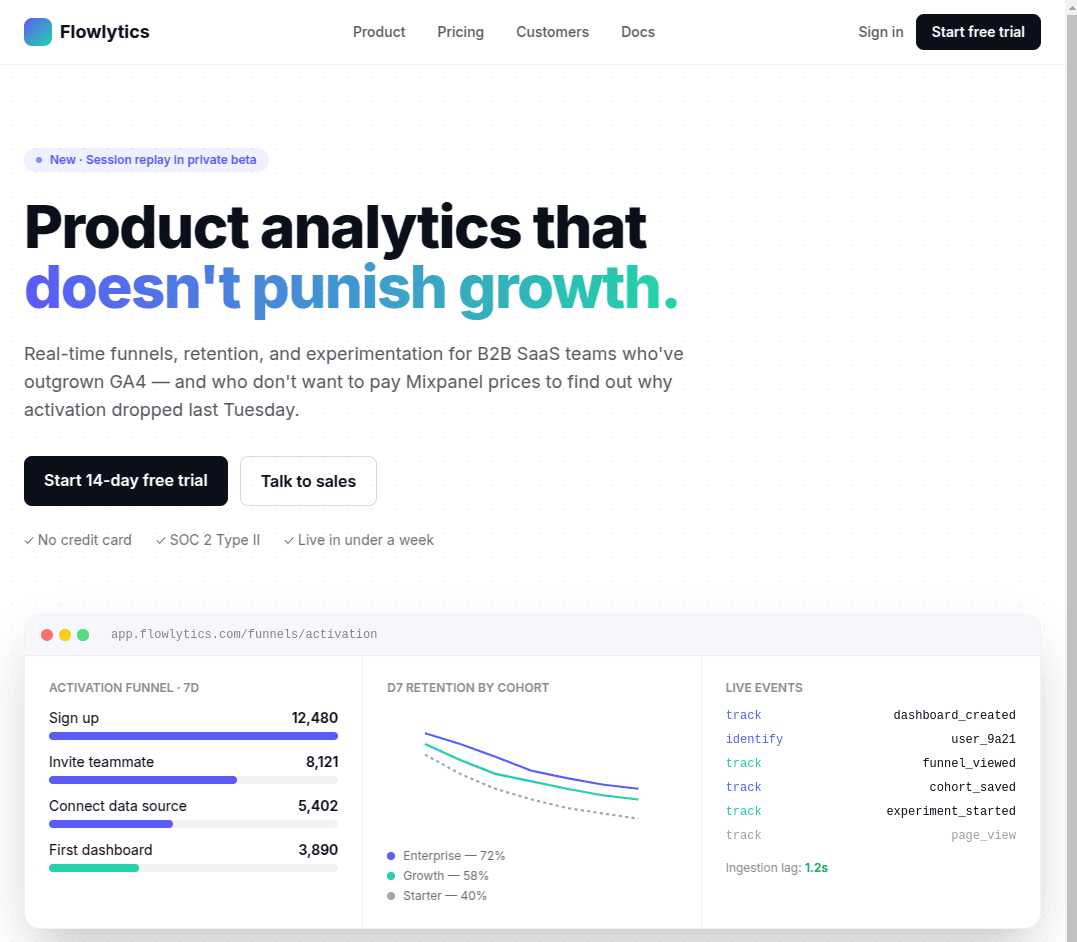
Aria is the AI sales assistant for a fictional analytics company called Flowlytics. When a visitor lands on the website and opens the chat, Aria:
All of this happens inside a single ByteChef workflow. No custom backend, no webhooks to maintain, no glue code.
The core of the whole thing is a single AI Agent component in ByteChef. I configured it with four cluster elements:
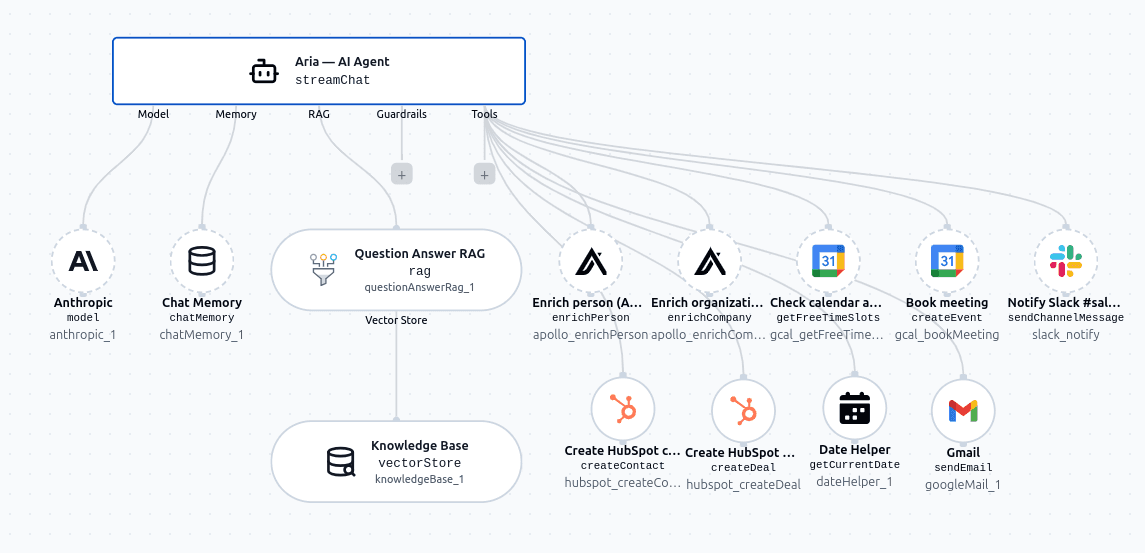
Model - I used claude-sonnet-4-5. It's fast, follows complex instructions reliably, and handles the nuanced conversation flow Aria needs, qualifying leads without sounding like a survey, staying concise, never making up product facts.
Memory - ByteChef's built-in Chat Memory keeps the conversation history across turns without me having to set up any external database. Aria remembers what was said earlier in the conversation, so she can compress context, avoid repeating herself, and pick up naturally when a visitor comes back.
RAG - Instead of connecting an external vector database, I used ByteChef's built-in Knowledge Base and uploaded a handful of Flowlytics documents: pricing tiers, a features overview, an FAQ, and a customer case study. Aria calls this knowledge base whenever a product or pricing question comes in - so her answers are grounded in real facts, not hallucinated.
Tools - This is where the real automation happens. I gave Aria access to:
ByteChef exposes all of these as tool actions the agent can invoke on its own, based on context. I didn't write any code to connect them, I just toggled them on and configured which properties the AI fills dynamically versus which ones are fixed.
The system prompt is Aria's brain. It tells her who she is, what her goals are, how to qualify leads, how to have a conversation, and exactly which tools to call in which order.
A few design decisions that made a big difference:
She infers, she doesn't interrogate. The qualification rubric lives in the prompt, but Aria never mentions it. She figures out role, company size, timeline, and budget fit from natural conversation - not a form.
One question at a time. The prompt explicitly forbids stacking questions. This keeps the chat feeling like a conversation rather than an intake process.
Tools are called silently. When a visitor drops their email, Aria immediately enriches their profile via Apollo in the background. The visitor never sees this - they just experience a more personalized conversation.
Hard rules prevent embarrassing mistakes. The prompt includes guardrails like: never invent pricing or features, never ask for an email in the first two messages, never book a meeting without explicit confirmation of both the time slot and the email address, and never engage with competitors beyond a polite brush-off.
I needed a page for Aria to live on. Rather than spending time on HTML and CSS, I opened Claude and described what I wanted: a clean SaaS landing page for Flowlytics with a hero section, feature highlights, and a chat widget in the bottom-right corner. Claude generated the full HTML page in one shot: copy, layout, styles, and the widget placeholder included. A couple of small tweaks and it was done. The whole thing took maybe 10 minutes.
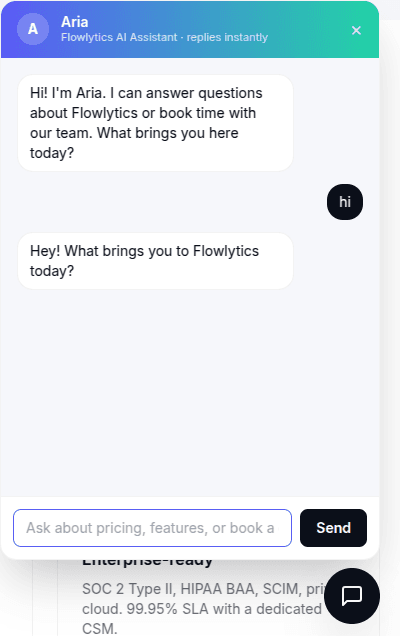
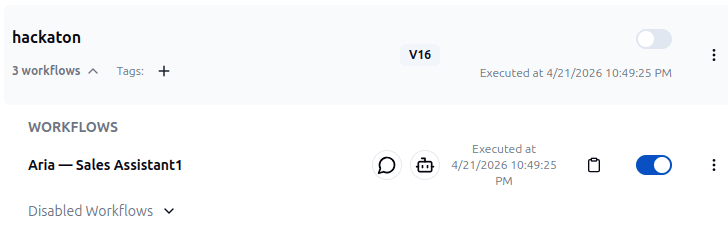
Once the workflow was ready, I deployed it via ByteChef's Project Deployments and got a URL for the agent endpoint. Clicking on the notepad icon will copy the URL for Aria's "brain" in ByteChef. I pasted that URL into the chat widget that Claude had generated. That was it, Aria was live on the site!
The quick build time is a consequence of how ByteChef's AI Agent is designed and structured.
The hardest parts of building something like this from scratch are: connecting to five different APIs, managing conversation state, writing retrieval logic for the knowledge base and handling tool orchestration. And they are all handled by the platform. The AI Agent cluster elements (Model, Memory, RAG, Tools) map almost exactly to the problems you'd otherwise spend days solving yourself.
What's left is the part that actually requires your judgment: writing a good system prompt. Defining the persona, the qualification logic, the conversation rules, and the routing behavior. That's also something an LLM can help you write when you know what your general idea is.
Aria is a sales assistant, but the same pattern works for almost any customer-facing AI workflow:
The building blocks are the same every time: a model, a knowledge base, memory, and tools. ByteChef's AI Agent gives you all of them in one place.
Want to build your own Aria? Start with the AI Agent docs or spin up a free workspace at app.bytechef.io.
Get the latest guides on complex automation, AI agents, and visual workflow best practices delivered to your inbox.