How We Use AI to Automate Our GitHub Release Announcements
On this page
TL;DR: Manual release notes are a chore. At ByteChef, we use our own platform to catch every GitHub release, use AI to summarize technical jargon into a friendly Slack post, and route it to the right channel automatically, keeping our team aligned without the manual overhead.
There is a certain irony in building an automation tool while performing repetitive manual tasks.
At ByteChef, we move fast. Our development cycle is built around 2-week milestones, and in between those milestones, we have frequent releases. Keeping the whole team, from marketing to support, informed about what is "In Progress", what is "Done" and what is finally "Published and in Production" is vital for our synchronization.
Initially, someone had to manually copy-paste release notes from GitHub, clean up the formatting, and post them to Slack. It was a classic "boring" task. So, we did what any automation team would do: we used ByteChef to automate ByteChef. It's a great feeling to ease up the work that is repetitive and kind of boring with the exact tool you and your team have been developing for quite some time!
The Problem: The "Release Fog"
When you’re releasing updates several times a week, technical documentation often stays trapped in GitHub. Developers know what changed, but the rest of the company might miss a "breaking" change or a cool new feature because they aren't monitoring repository tags.
The manual flow we wanted to kill looked like this:
- Publish a release on GitHub.
- Manually summarize the changelog for non-developers.
- Decide which Slack channel needs to know (Is it a major breaking change or a minor patch?).
- Post the link and hope the formatting doesn't break.
Workflow Overview
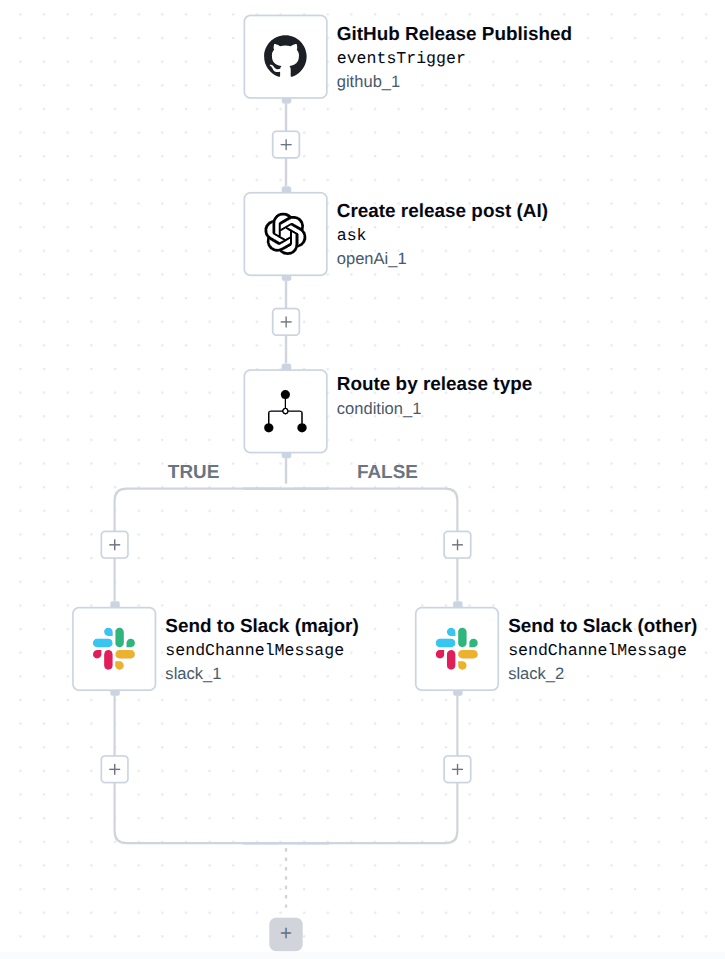
We built a workflow that handles the "Release Fog" by acting as an intelligent bridge. It doesn't just pass data; it thinks about the content before posting it.
- Trigger: Fired the moment a release is published on GitHub.
- AI Transformation: OpenAI reads the technical body of the release and rewrites it for humans.
- Smart Routing: A logic gate checks if the release is "Major/Breaking" or a standard update.
- Final Notification: The summary is posted to the appropriate Slack channel.
1. Trigger: GitHub Release Published
The workflow starts with the github/v1/eventsTrigger. We’ve configured it to listen specifically for release events in our core repository.
- Label:
GitHub Release Published - Action: Detects the publish event and captures the release name, tag, and body notes.
2. AI Content Generation (OpenAI)
Technical release notes are great for git history, but they’re often too dense for a quick Slack browse. We use the openAi/v1/ask task (running gpt-4o-mini) to act as our internal editor.
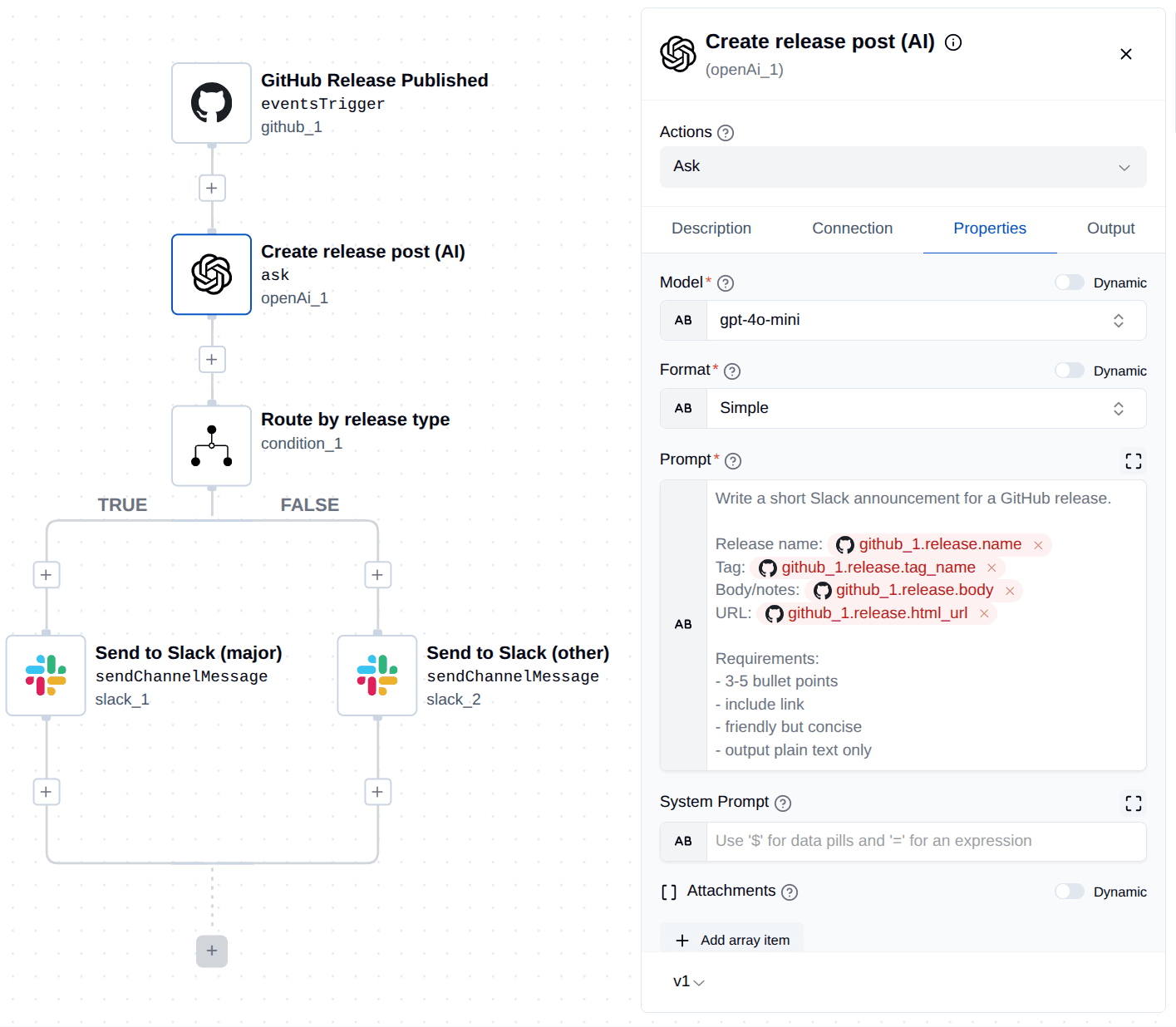
Give the AI a specific prompt:
Write a short Slack announcement for a GitHub release. Include 3-5 bullet points, include the link, and be friendly but concise.
This ensures that even if a developer just writes a list of PR numbers, the AI provides a polished context for the rest of the team.
3. Logic: Routing by Release Type
Not all releases are created equal. We use the condition/v1 module to scan the Tag Name and Release Name for specific keywords like "major" or "breaking".
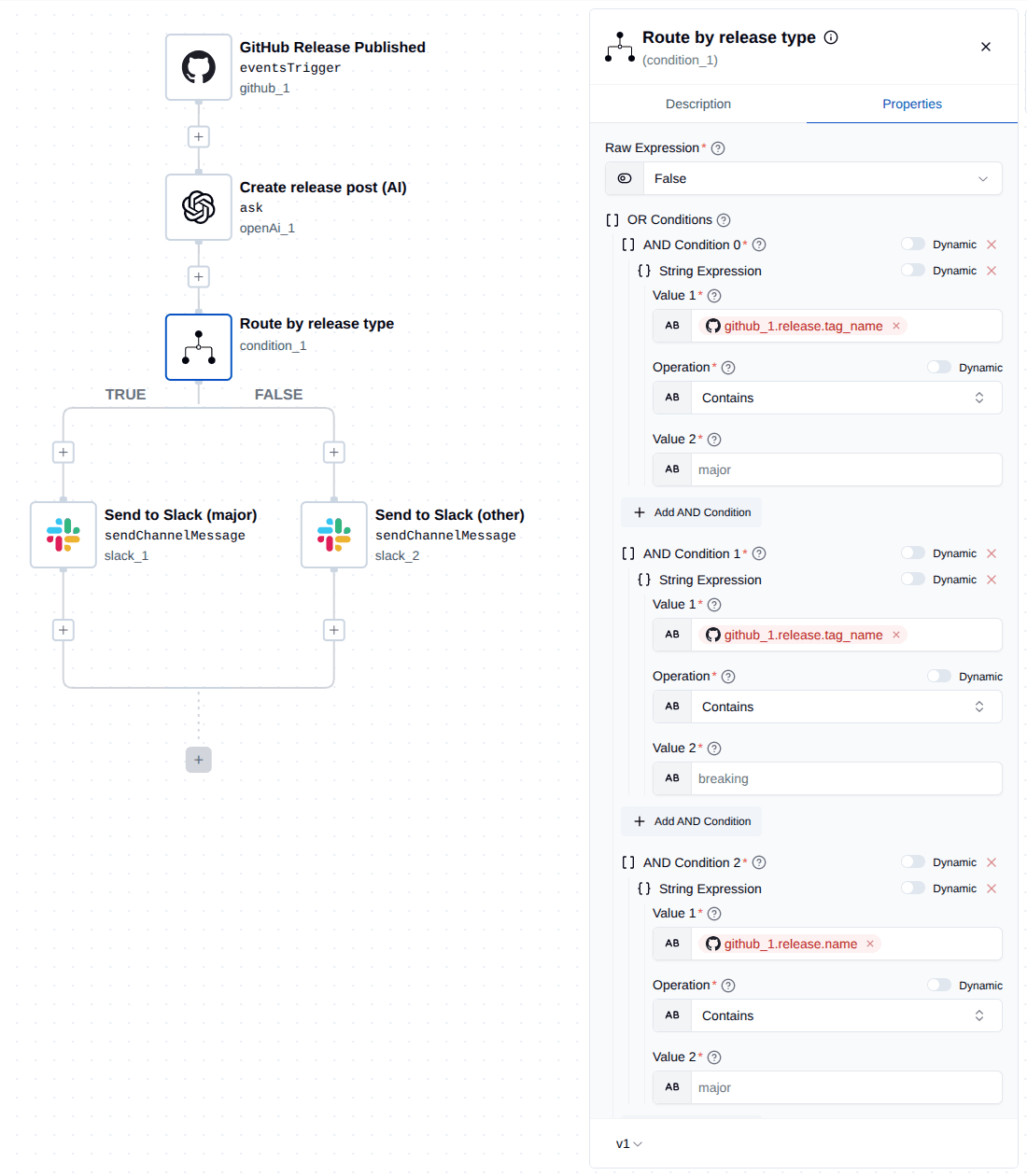
- If True: The workflow identifies this as a high-priority update and routes it to a specific channel (e.g.,
#announcements). - If False: It’s treated as a standard patch and sent to a general update channel (e.g.,
#changelog).
4. Slack Action
Finally, the workflow uses slack/v1/sendChannelMessage. Instead of the raw GitHub data, it posts the clean, bulleted text generated by the AI in Step 2.
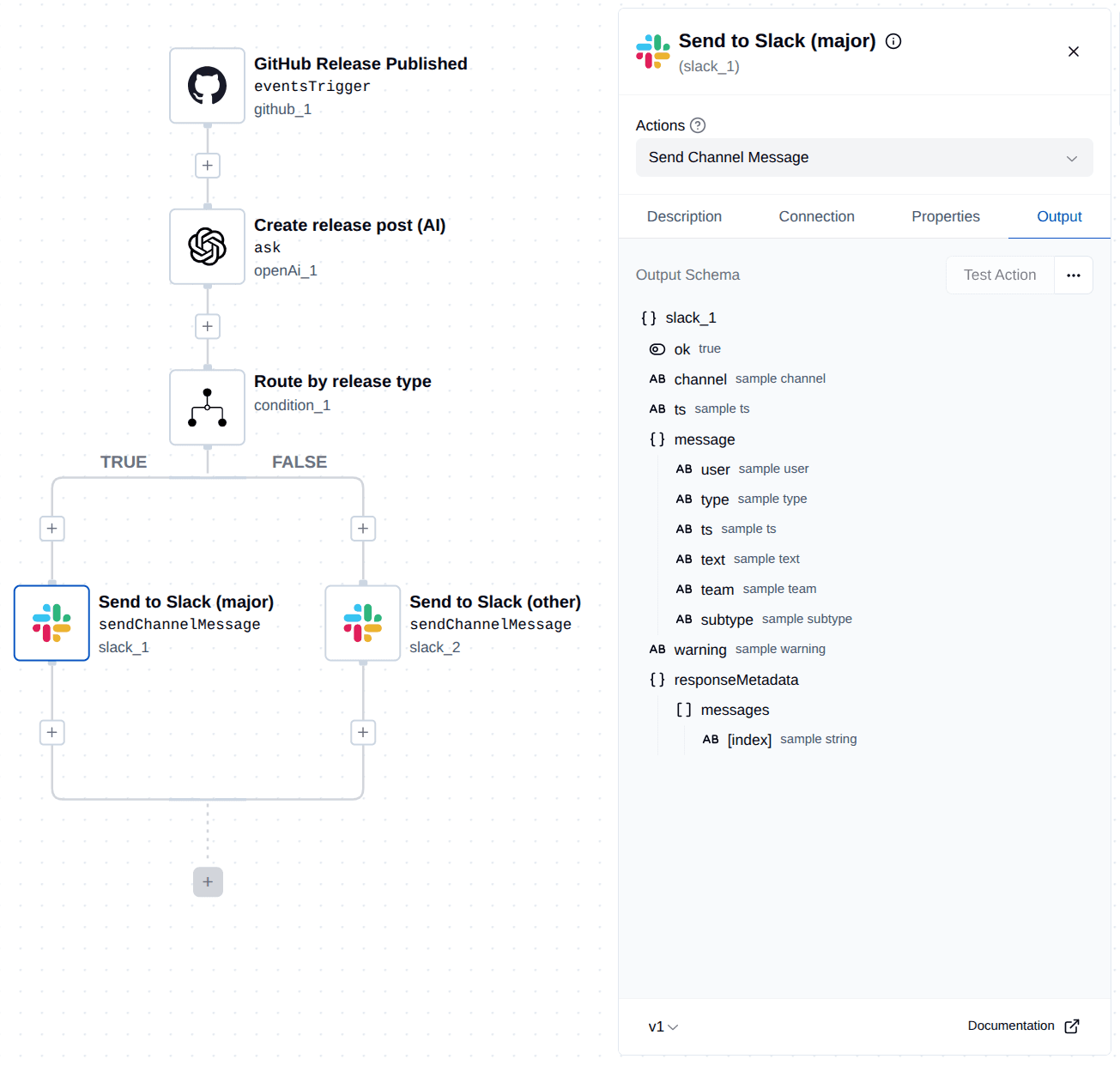
It includes the link to the full GitHub release so anyone who needs the technical "deep dive" can get there in one click.
Workflow Summary
| Step | Component | Purpose |
|---|---|---|
| 1 | GitHub Trigger | Watch for Releases: Automatically start the flow when a release is published. |
| 2 | OpenAI | Humanize Data: Convert technical markdown notes into a friendly 3-5 bullet point summary. |
| 3 | Condition | Filter Priority: Check the tag for "major" or "breaking" keywords to determine the impact. |
| 4 | Slack | Notify Team: Post the AI-generated summary to the correct channel based on the release type. |
Conclusion
By using ByteChef to automate our own release cycle, we’ve removed the "mental lag" between a code deployment and a team announcement. Our developers can stay focused on the next milestone, and our team is never in the dark about what is currently in production.
It’s a small change that yields a huge win for team transparency. Plus, there's a special kind of satisfaction in seeing the tool you're building ease your work.
Subscribe to the ByteChef Newsletter
Get the latest guides on complex automation, AI agents, and visual workflow best practices delivered to your inbox.