How We Automated Personalized Emails from Liferay Object Forms Using ByteChef
On this page
TL;DR: We connected Liferay Object Forms to ByteChef using a simple webhook triggered on “On After Add.” Every form submission sends data to a ByteChef workflow, where we map the fields, build a personalized email, and automatically send it to the user. No manual follow-ups, no delays - just instant, personalized communication based on form submissions.
How We Automated Personalized Emails from Liferay Object Forms Using ByteChef
One thing we kept running into was surprisingly simple: someone fills out a form… and then nothing happens.
Or worse, someone on the team has to manually follow up.
That doesn’t scale, and honestly, it’s just not a great experience for users either.
So we set up a small automation using Liferay Object Forms and ByteChef to send personalized emails automatically after a submission. Nothing overly complex-just a clean workflow that does exactly what you’d expect it to do.
Here’s how we approached it.
The Idea
At a high level, we wanted this:
- A user submits a form (backed by a Liferay Object)
- That submission triggers something instantly
- The user gets a personalized email with their own data
No delays, no manual steps.
Step 1: Let Liferay Do What It’s Good At
We’re using a Liferay Object as the backend for the form. The nice part here is that Liferay already gives you event-based actions.
So we added a Webhook action on the object:
- Trigger: On After Add
- Destination: ByteChef webhook URL
That’s it.
Now every time a new entry is created (i.e. someone submits the form), Liferay sends the full object payload to ByteChef automatically.
Step 2: Catch the Data in ByteChef
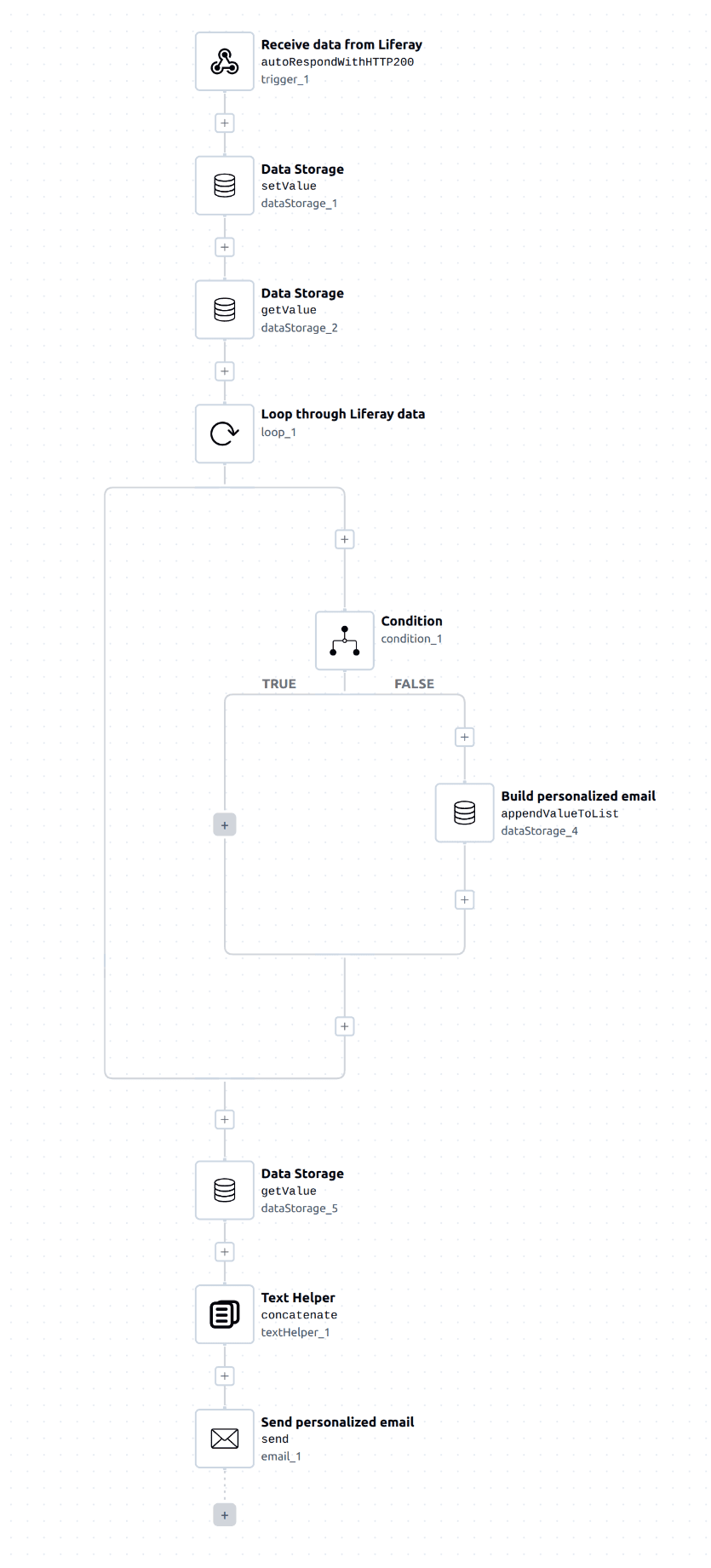
On the ByteChef side, we created a workflow with a webhook trigger.
As soon as Liferay sends the data, the workflow kicks off.
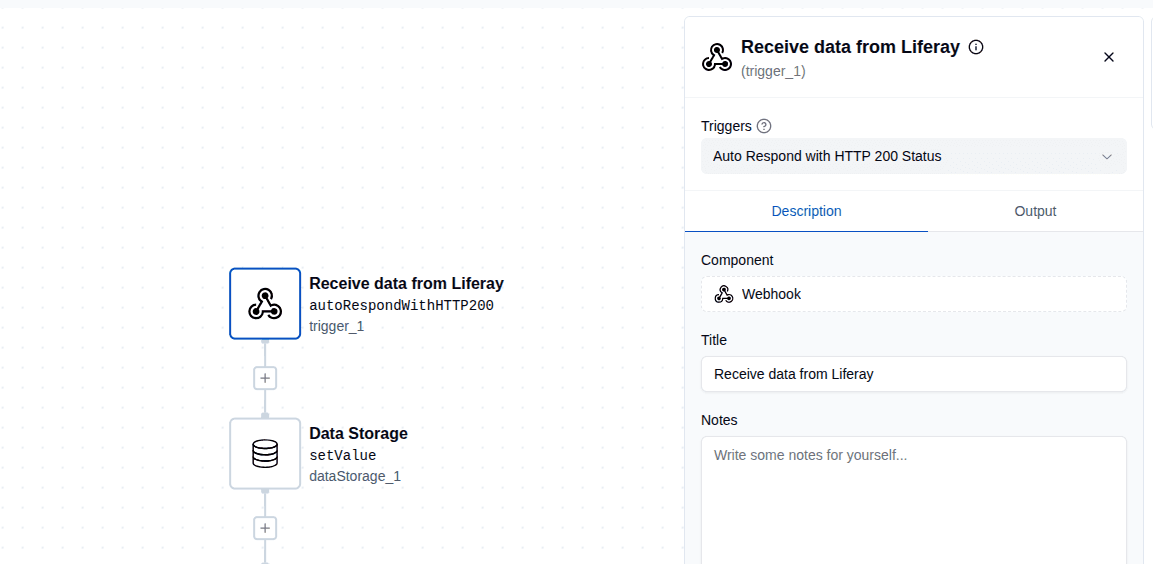
At this point, you get the full object payload-everything the user submitted. Names, emails, custom fields… all there.
This is where things start to get useful.
Step 3: Turn Raw Data into Something Usable
Instead of working directly with the raw payload, we mapped out the fields we actually care about.
Things like:
- Name
- Any relevant form inputs
We store those as variables inside the workflow so we can reuse them cleanly later.
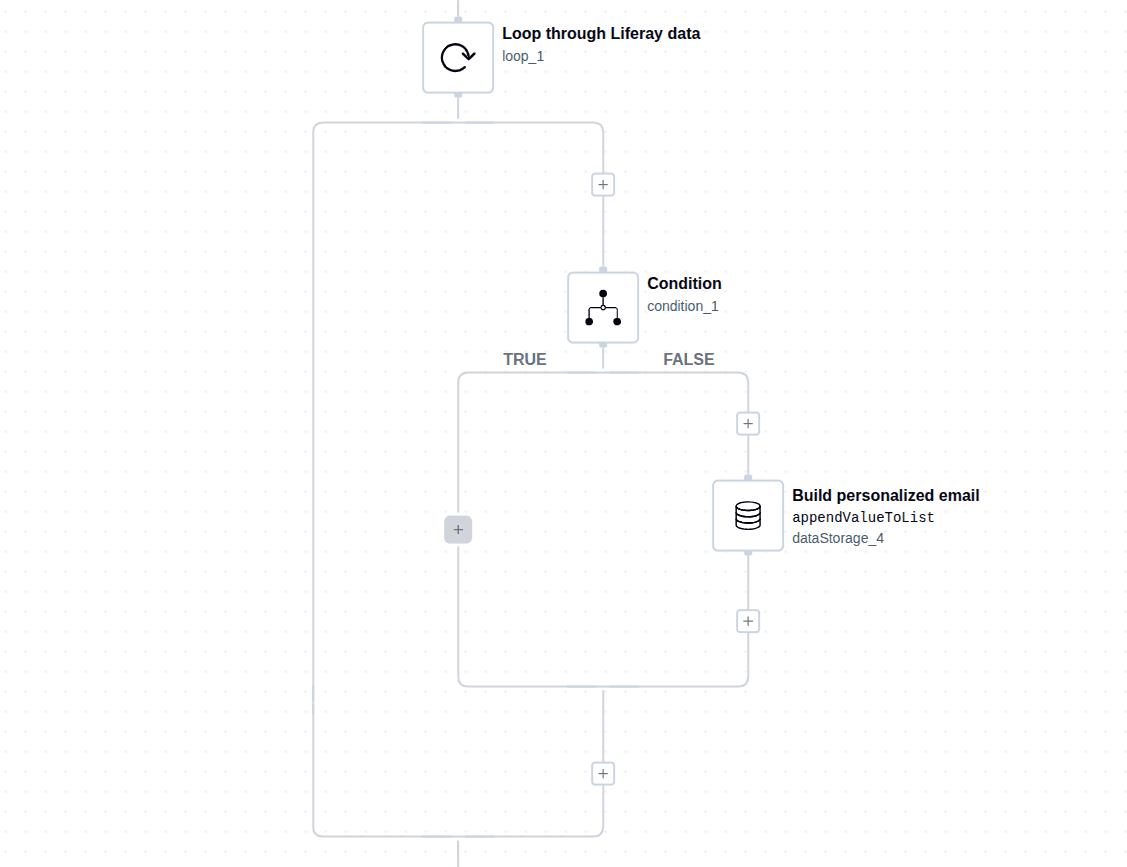
Nothing fancy here - just making the next step easier.
Step 4: Build a Personalized Email (Without Overthinking It)
This is where a lot of people overcomplicate things.
You don’t need a complex template system to make emails feel personal. You just need to use the data you already have.
For example:
- Use their name in the greeting
- Reference what they submitted
- Keep the tone natural
Something as simple as:
Hi John, thanks for reaching out…
already feels 10x better than a generic email.
Step 5: Send It Automatically
Finally, we added a Email component in ByteChef:
- Recipient: pulled from the submitted email field
- Subject: something clear and relevant
- Body: the personalized message using our variables
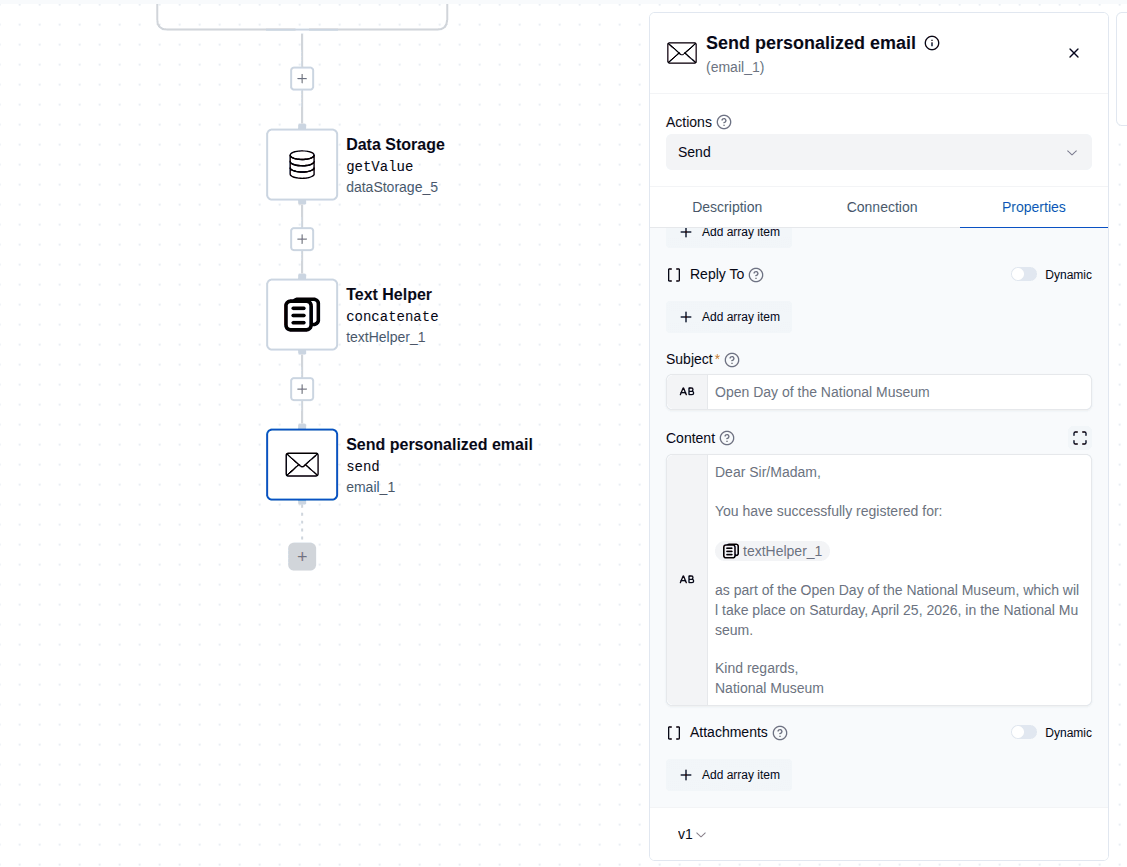
Now every time someone submits the form, the workflow runs and the email goes out instantly.
No one on the team has to think about it.
What This Actually Solves
This isn’t just about saving a few clicks.
It fixes a real gap:
- Users get immediate feedback
- Communication feels intentional, not automated
- The team doesn’t have to babysit form submissions
And because it’s all event-driven, it scales without any extra effort.
Final Thoughts
This is one of those small automations that ends up having an outsized impact.
It’s simple. It’s reliable. And once it’s set up, it just quietly does its job in the background.
If you’re already using Liferay Objects and you’ve got ByteChef in your stack, this is a very easy win.
And if you’re not sending personalized emails after form submissions yet-you probably should be.
Subscribe to the ByteChef Newsletter
Get the latest guides on complex automation, AI agents, and visual workflow best practices delivered to your inbox.