4 min read
Marija Horvat

In a previous post, Automate Paid Time Off Requests with ByteChef, we showed how ByteChef can automate the process of requesting leave and saving it to a shared calendar. In this follow‑up post, we focus on the other half of the story: keeping the team informed. This workflow automatically posts a weekly announcement listing who will be on vacation in the upcoming week. No manual checks, no forgotten messages and no awkward surprises during stand‑ups.
The workflow consists of six key components:
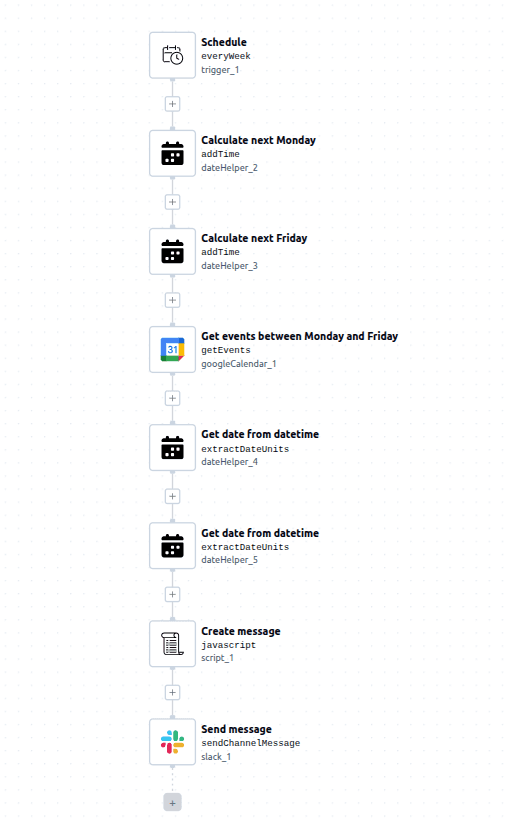
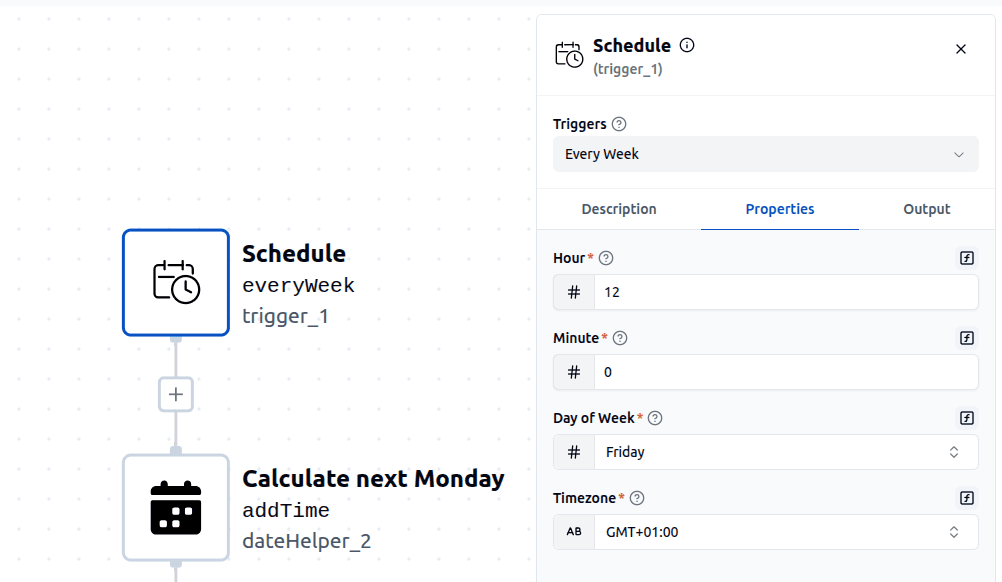
The workflow starts with a scheduled trigger that runs once per week. It is configured to run on Friday at noon but can be set to any time and time zone. Running the workflow on Friday ensures the announcement is ready before the new work week starts. Using the trigger’s execution time as a reference, the workflow calculates the date for the upcoming Monday. This date will later be used as the start of the PTO lookup range. The next step calculates the date for the upcoming Friday, again based on the trigger time. Together with Monday, this defines the full work‑week window.
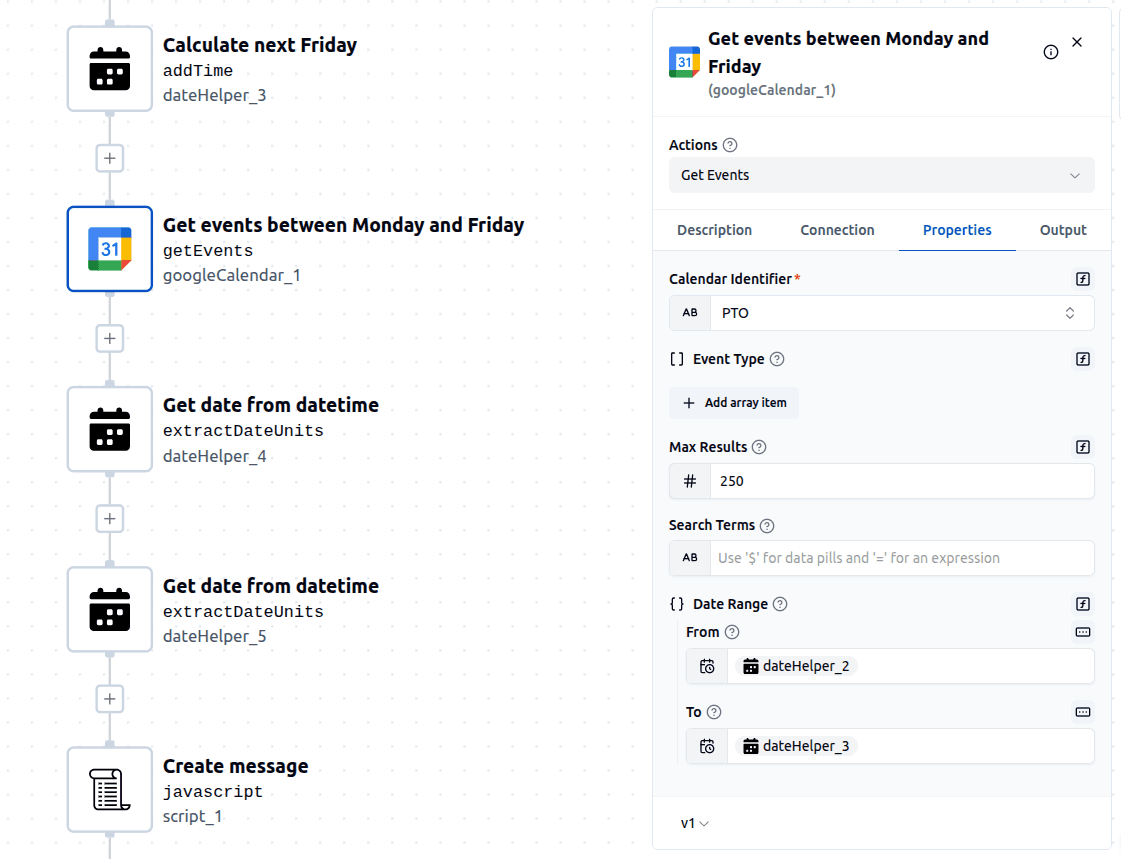
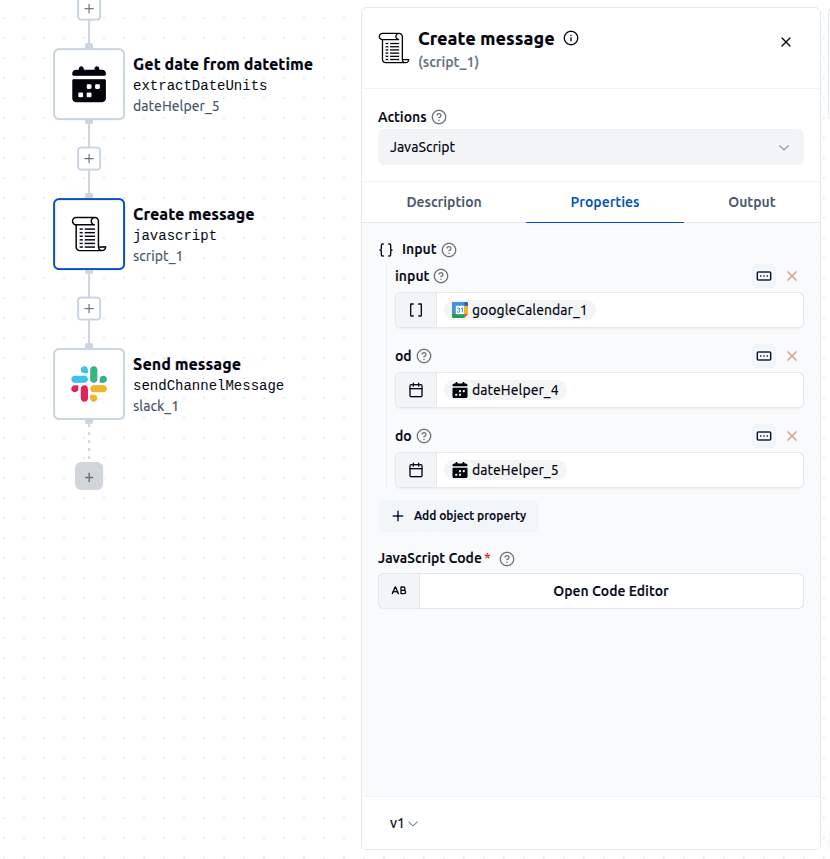
The next step queries a shared Google Calendar that stores PTO events. It retrieves all events that fall between the calculated Monday and Friday dates. The calendar is the same one populated by the PTO request workflow from the previous blog post, which means both workflows stay perfectly in sync without any additional configuration. The next two steps strip the time portion from the calculated Monday and Friday datetimes, leaving only the date values. This makes the final message cleaner and easier to read, avoiding unnecessary timestamps.
Below is a snippet from the script component. This is where the workflow becomes user‑friendly. The script iterates over all fetched calendar events, filters out incomplete or irrelevant entries, formats dates into a readable dd.MM.yyyy format, removes the PTO suffix from event titles and builds a bullet‑point list of people on leave. If no PTO is scheduled for the upcoming week, the script generates a friendly fallback message saying that no one is on vacation.
function perform(inputs, context) {
  const formatDate = isoStr => {
    const date = new Date(isoStr);
    const day = String(date.getDate()).padStart(2, '0');
    const month = String(date.getMonth() + 1).padStart(2, '0');
    const year = date.getFullYear();
    return `${day}.${month}.${year}`;
  };

  const events = Array.from(inputs.input);

  const formattedEvents = events
    .filter(event =>
      event.summary &&
      event.startTime &&
      event.endTime
    )
    .map(event => {
      const name = event.summary.replace(/\s*PTO\s*$/, '');
      const start = formatDate(event.startTime);
      const end =  formatDate(event.endTime);
      return `- ${name}: ${start}-${end}`;
    });

  return formattedEvents.length === 0 ?
  'Next week from ' + formatDate(inputs.from)+ ' to '+formatDate(inputs.to)+ ' there are no planned vacations.' :

  'Next week from ' + formatDate(inputs.from)+ ' to '+formatDate(inputs.to)+ ' the following people will be on vacation: \n' + formattedEvents.join('\n');
}
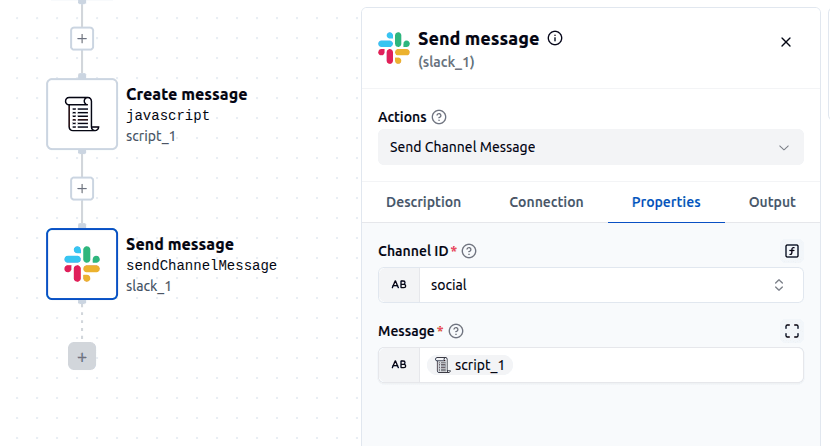
The final step posts the generated message to a predefined team communication channel (for example Slack, Microsoft Teams or a similar platform). Once this is in place, the team automatically receives a clear weekly overview of upcoming PTO, without anyone having to remember to send a reminder.
When combined with Automate Paid Time Off Requests with ByteChef described in the earlier post, this setup creates a complete PTO automation loop: employees request time off, PTO is saved in a shared calendar, the team is automatically informed every week. This reduces coordination overhead, improves transparency and removes yet another small but repetitive task from your team’s plate.
Get the latest guides on complex automation, AI agents, and visual workflow best practices delivered to your inbox.