4 min read
Marija Horvat
TL;DR: Build an AI-powered email classifier in ByteChef using OpenAI.
This guide shows how to build an AI-powered email classifier in ByteChef that automatically categorizes incoming emails into Sales, Support, Finance, Operations, HR or any other. By combining OpenAI with structured JSON output and smart branching logic, you can ensure reliable and consistent email dispatching without manual effort.
Bottom line: You can fully automate email handling with AI while keeping accuracy, control and reliability.
Email overload slows teams down. Manually reading and dispatching emails wastes time and introduces human error.
With AI + automation, you can:
This tutorial shows how to build a production-ready email dispatcher in ByteChef.
The workflow consists of three key components:
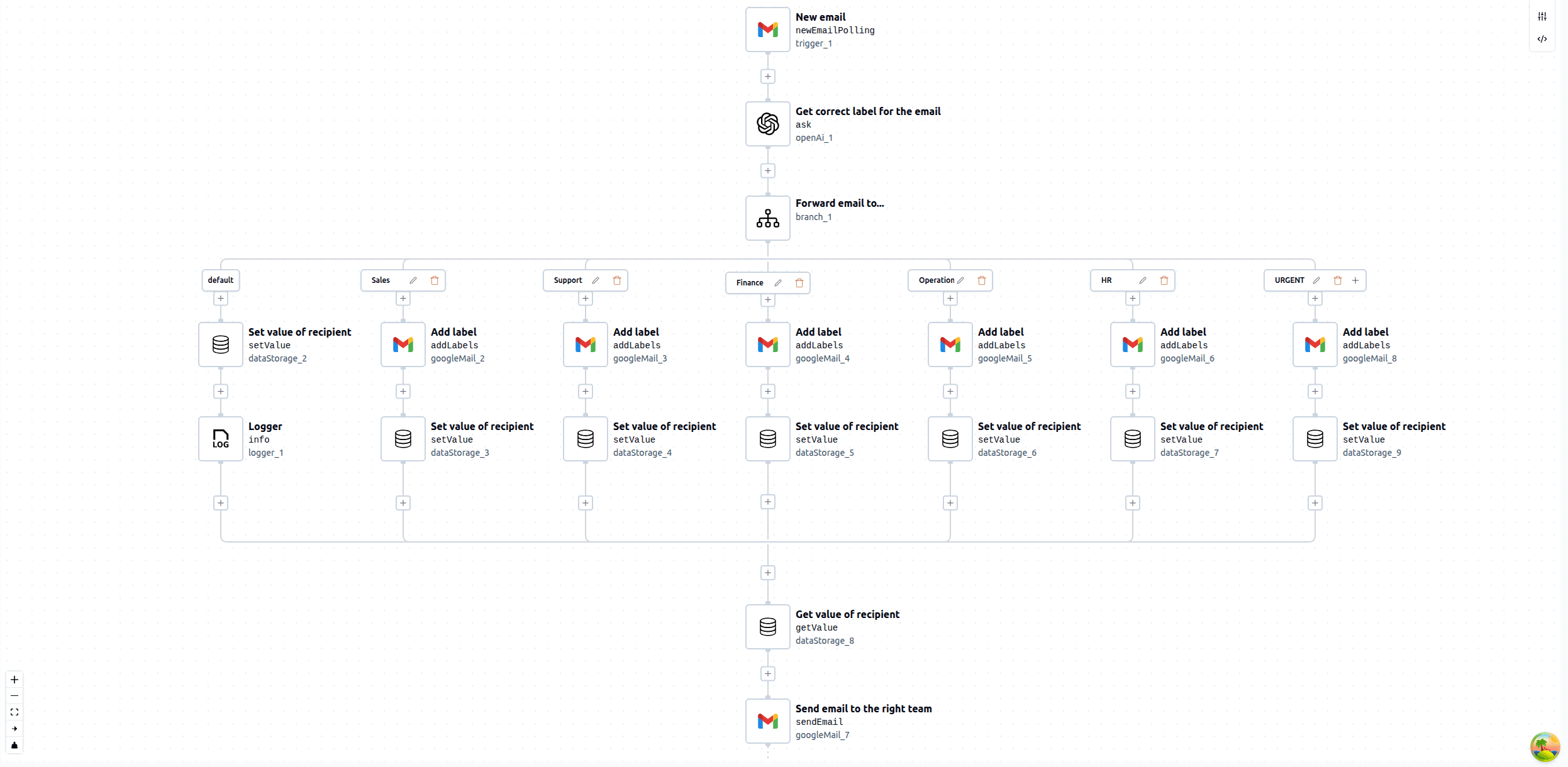
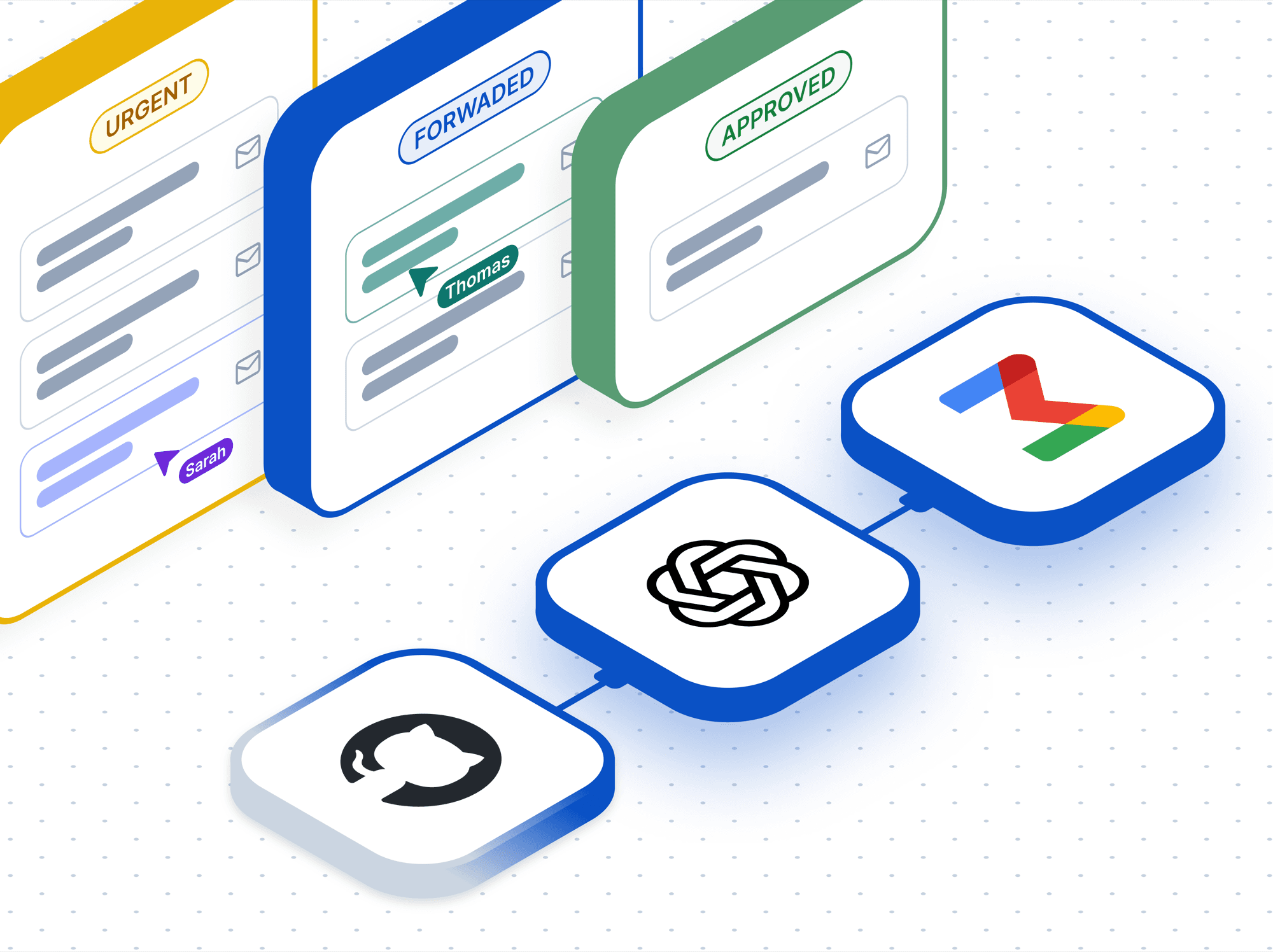
The workflow begins with a Gmail trigger that polls for new incoming emails. Once an email is received, it is passed to the OpenAI step, which serves as the core of the workflow. In the OpenAI connector, there are several configuration properties. First ones are the Model and Format. You can choose any model depending on your needs, while the Simple format is sufficient for this use case, as it supports all required functionality.
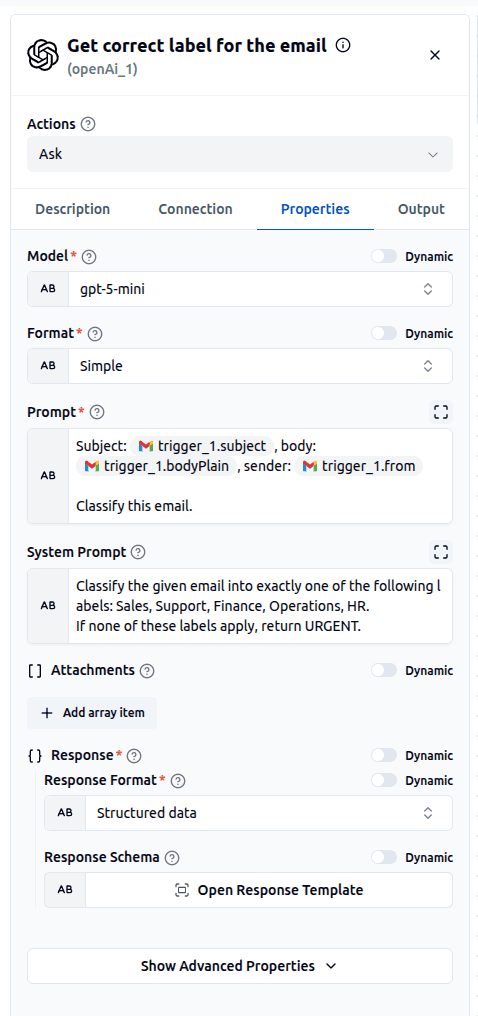
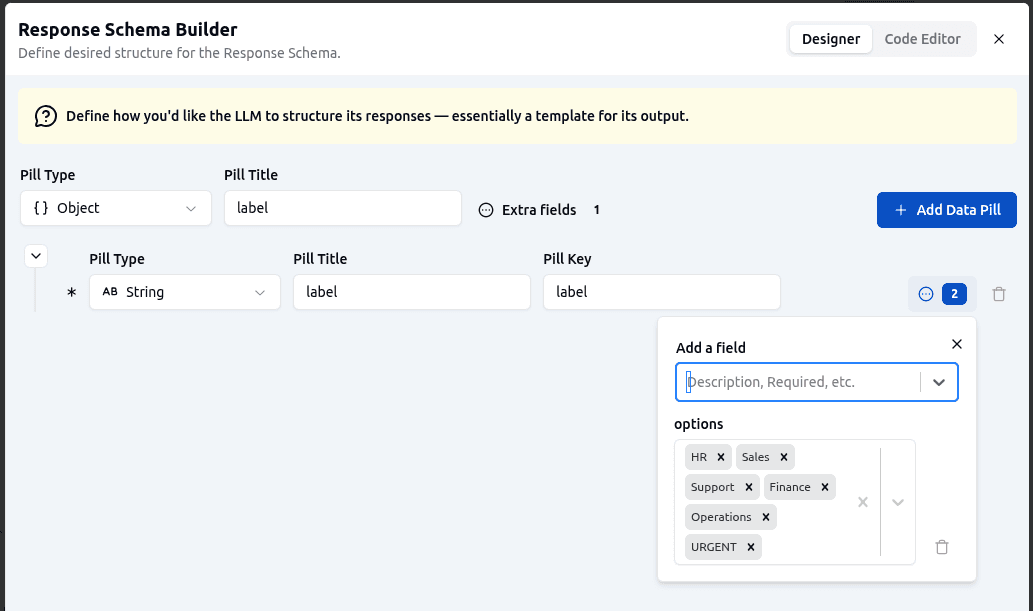
For prompting, the Prompt is used to provide the email content and define the task, while the System Prompt gives clear instructions on how the classification should be performed. To ensure consistent and structured output, the Response Format is set to Structured data and a Response Schema is defined. This schema restricts the response to a single string field and enforces a fixed set of allowed values for classification.
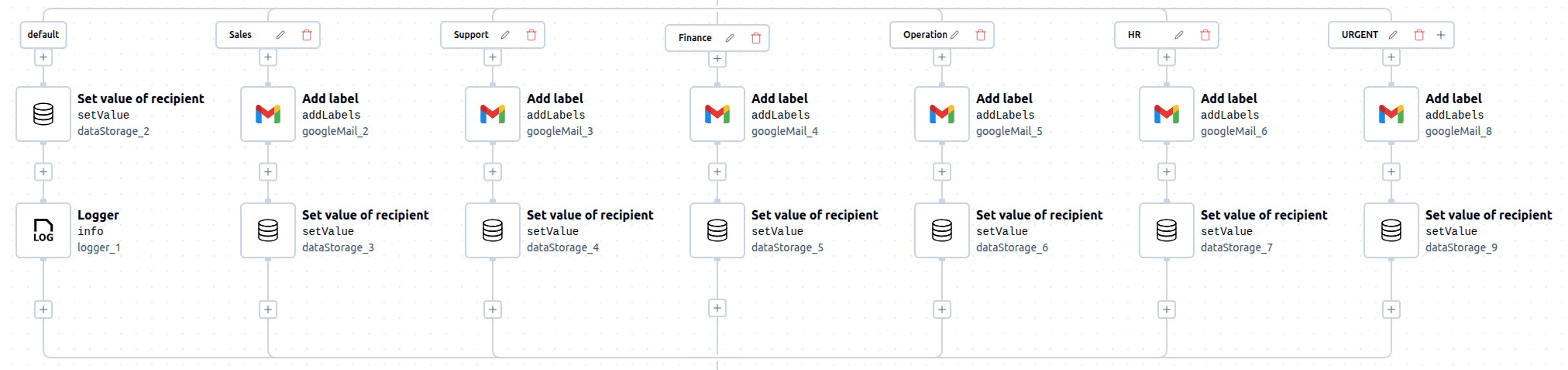
Once the email is classified, the workflow uses branching logic to route the email based on the returned label. Each branch corresponds to one classification category (e.g., Sales, Support, Finance, etc.). In addition, a default branch is included to act as a fallback in case the classification fails or an unexpected value is returned. Within each branch a Gmail label is applied (except in the default branch) and the recipient email address is stored using Data Storage. This setup ensures that every email is properly categorized and prepared for routing.
After determining the correct recipient, the workflow proceeds to forward the email. First, the recipient’s email address is retrieved from Data Storage. Then, the Gmail Send Email action is used to forward the original email to the appropriate team. This final step completes the automation, ensuring that each email reaches the right destination without any manual intervention.
This workflow can be easily extended beyond simple email routing by adding more advanced actions within each branch.
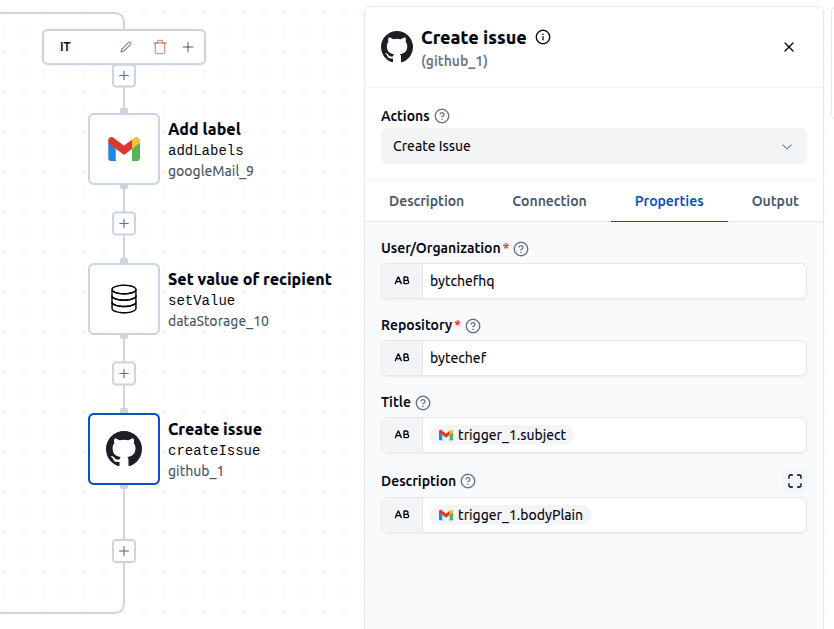
For example, instead of only forwarding emails, you can trigger different workflows depending on the classification. If you introduce an IT branch and receive an email intended for the IT team, you could automatically create an issue in GitHub using the email content as the issue description.
Other possible enhancements include:
By combining AI classification with flexible branching, you can transform this workflow into a powerful automation system that goes far beyond simple email routing.
By combining AI classification, structured outputs and workflow automation, you can eliminate manual email handling entirely.
This ByteChef workflow is:
Most importantly, it transforms email from a bottleneck into an automated system. AI doesn’t just help you read emails - it decides what to do with them.
Get the latest guides on complex automation, AI agents, and visual workflow best practices delivered to your inbox.