5 min read
Petra Pažanin
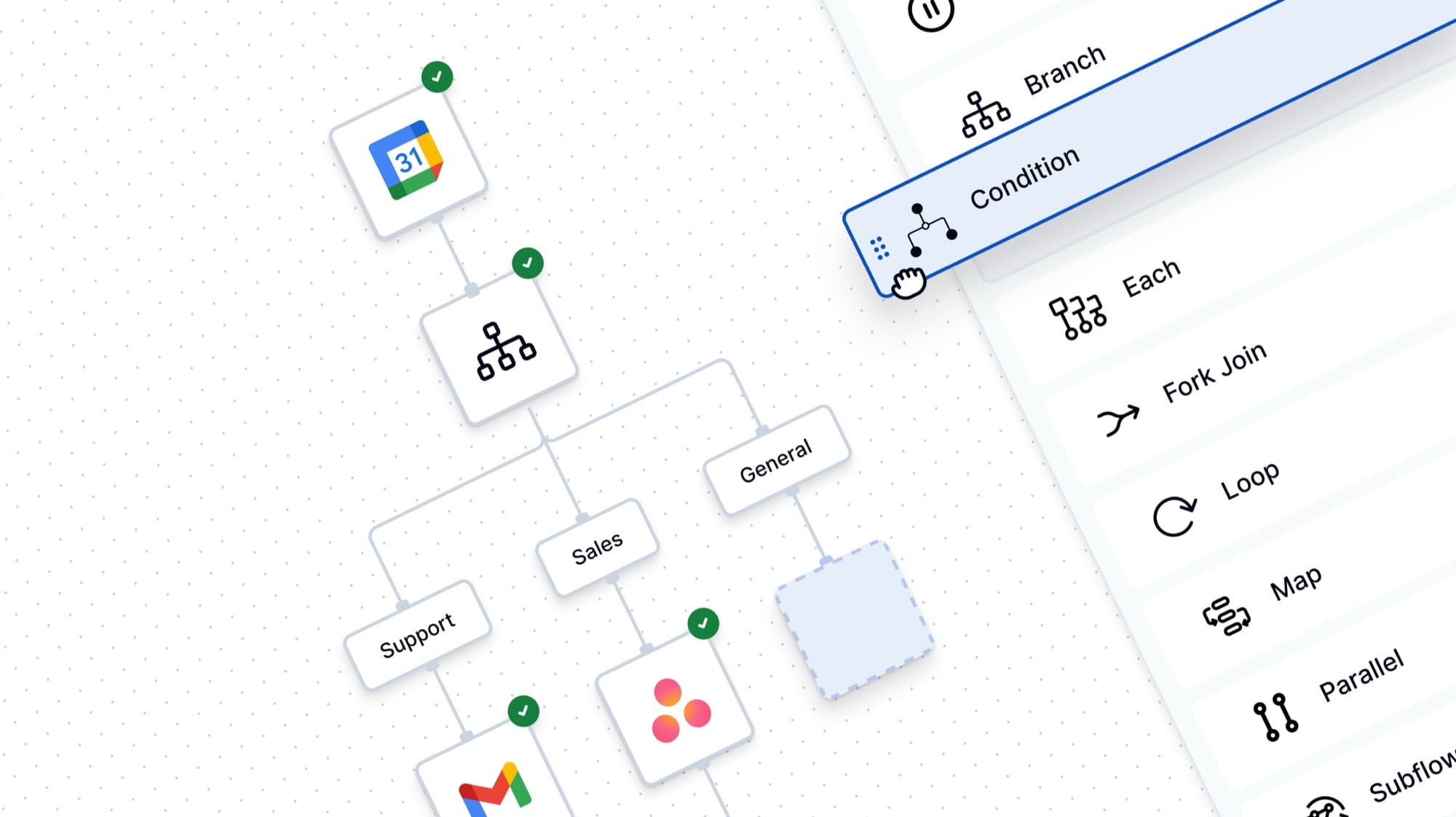
TL;DR: Starting with automation is intimidating, we’ve all been there. This guide breaks down how to move from "I have no idea what I'm doing" to "I just automated 10 hours of my week" using ByteChef’s hybrid approach: combining visual simplicity with the power of code.
Automation often feels complicated and reserved for those who can write complex scripts. At ByteChef, we believe that logic is universal, but the tools shouldn't be a barrier. Whether you're a visual thinker or a JSON-first developer, building your first scalable workflow is about strategy, not just connecting boxes.
The biggest mistake beginners make is opening the editor before they’ve defined the problem. This leads to "spaghetti workflows": tangled webs of logic that break the moment a variable changes.
Before you touch a single node, grab a piece of paper or a digital whiteboard - sketching is half way to success, trust me :)
Think about these things and sketch out your ideas:
ByteChef is unique because it doesn't force you into a "no-code" box. Our Workflow Builder is designed to grow with your technical skills through three distinct viewports.
Our infinite canvas allows you to drag nodes and snap them together. Every node represents a specific task like fetching data, transforming a string, or hitting an API.
For developers who find visual builders "click-heavy," the JSON Schema Builder allows you to define the entire workflow’s logic via a structured schema.
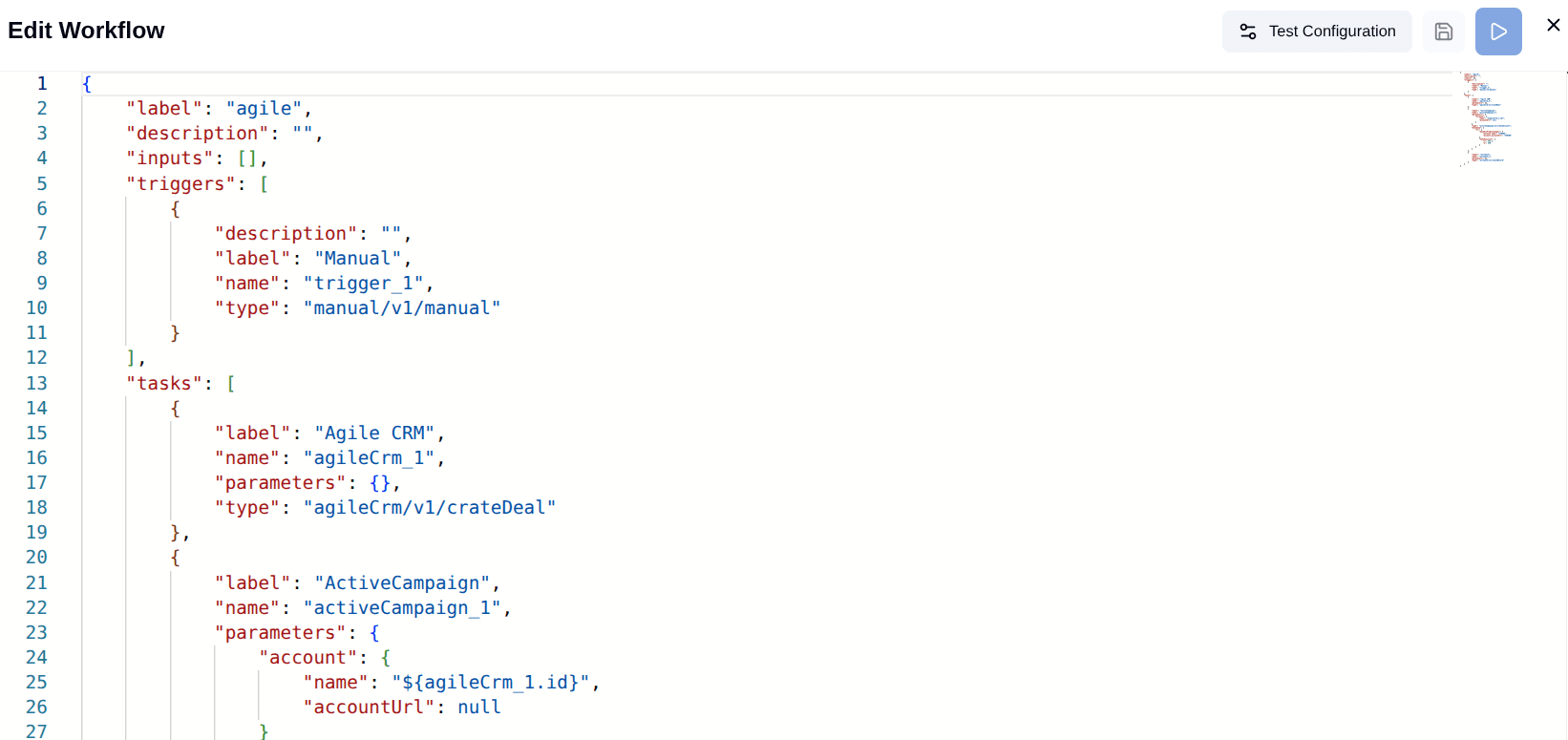
If you're staring at a blank screen, use the AI Agent command bar.
Manual typing is the enemy of scalability. If you hard-code a username into an action, the workflow is brittle.
In ByteChef, we use Data Pills. These are dynamic variables you can drag and drop from previous steps.
toLowerCase() or formatDate) directly to a pill before it's sent to the next step.// Behind the scenes, ByteChef maps your pills like this:
{
"recipient": "{{step_1.sender_email}}",
"subject": "Re: {{step_1.subject}}",
"body": "Hi {{step_1.first_name}}, thanks for reaching out!"
}Scalability isn't just about doing one thing fast; it’s about your workflow being smart enough to handle different outcomes without you having to step in. In ByteChef, this is managed through specialized logic nodes that act as the "brain" of your automation.
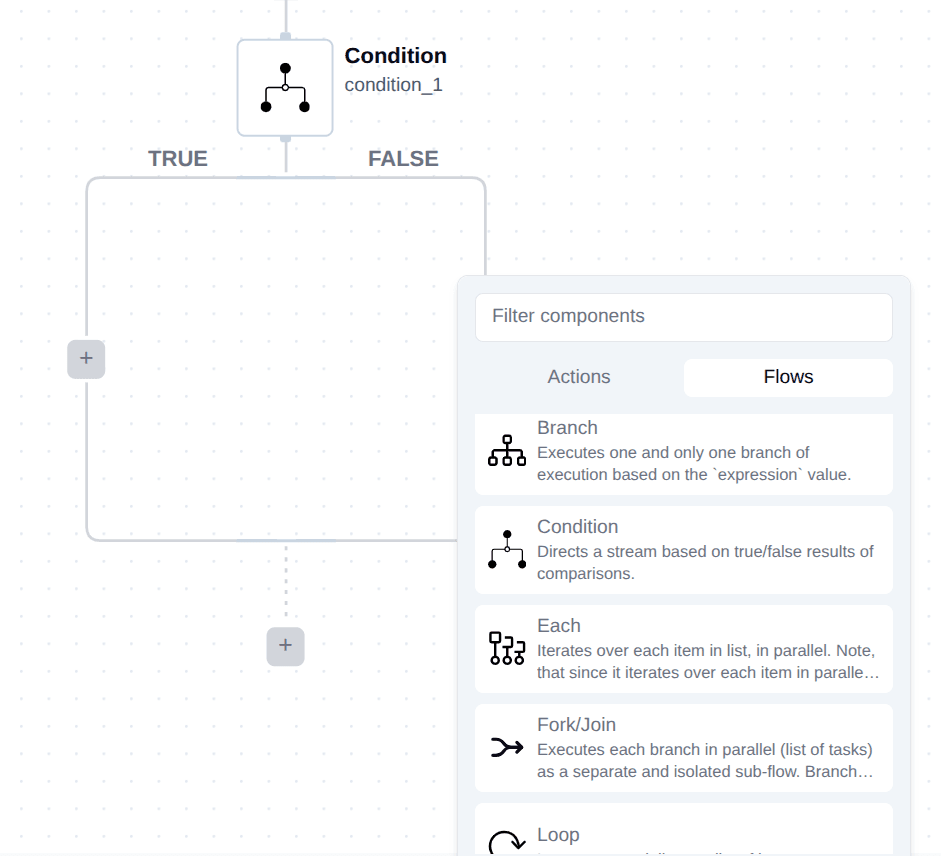
Think of the Condition Node as a fork in the road. Instead of a linear timeline, your workflow becomes a decision tree.
One of the biggest hurdles in automation is moving from simple tasks to batch processing. If your trigger returns a list of 50 new Shopify orders, you don't want to build 50 workflows. You want one loop.
A scalable workflow is a resilient one. ByteChef uses a system of Visual Feedback Badges (which are explained here!).
When you run a test in the Debug Console:
Green Badges: The node executed successfully. You can click to see the "Input" and "Output" JSON.
Red Badges: Something broke. ByteChef highlights the exact line of data that caused the failure, making "silent errors" a thing of the past.
There is no "perfect" first workflow. The goal is to reclaim your time from repetitive, soul-crushing tasks. Start with something simple like syncing your calendar to a to-do list and scale from there.
Ready to reclaim your time? Join the ByteChef community and start building!
Get the latest guides on complex automation, AI agents, and visual workflow best practices delivered to your inbox.
-1d577a73.jpg&w=3840&q=75)