10 min read
Ivica Čardić
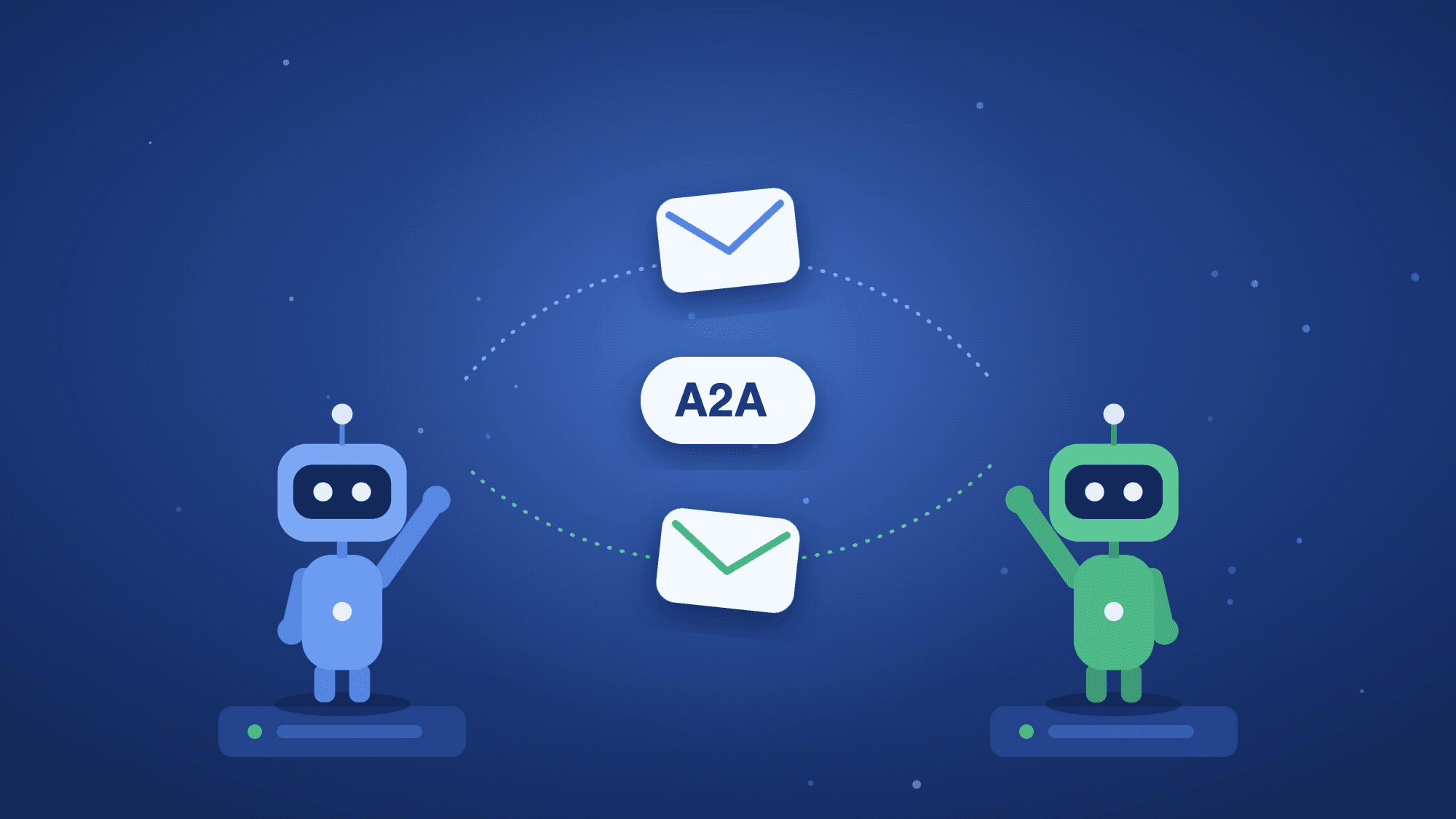
TL;DR: Agent2Agent (A2A) is an open protocol for agents to find each other and hand over work, across frameworks and vendors. ByteChef runs on Spring AI and the A2A Java SDK, and supports both sides of the protocol. An A2A Server turns a workflow into a remote agent with its own agent card. The A2A Agent Tool lets any AI Agent call a remote agent. Two templates show both sides working together: the Java release expert served over A2A and the Tech lead agent that calls a remote A2A agent.
So far this series has given one agent more to work with. Part 1 gave it skills it loads on demand. The parts after it gave it a way to ask you questions, a todo list, and subagents of its own. All of that lives inside your agent, in your workflow, on your server.
Sometimes the specialist you need lives somewhere else. It belongs to another team, runs on another server, or was built with another framework. That's what the Spring AI A2A post is about: agents working together across system boundaries, over a protocol neither side owns.
ByteChef is built on top of Spring AI and uses the same A2A Java SDK. This post walks through both halves of A2A in ByteChef with two templates: one agent that answers questions over A2A, and one that asks them.
A2A comes down to three ideas:
/.well-known/agent-card.json. It gives the agent's name, its description and its skills. A client reads the card to learn what the agent can do and where to send messages.Because the contract is a JSON card and an HTTP endpoint, a Spring AI agent can call one built with another framework, and the other way round. Neither side needs to know how the other works.
The two templates are a pair. The first is the server side, the second is the client side.
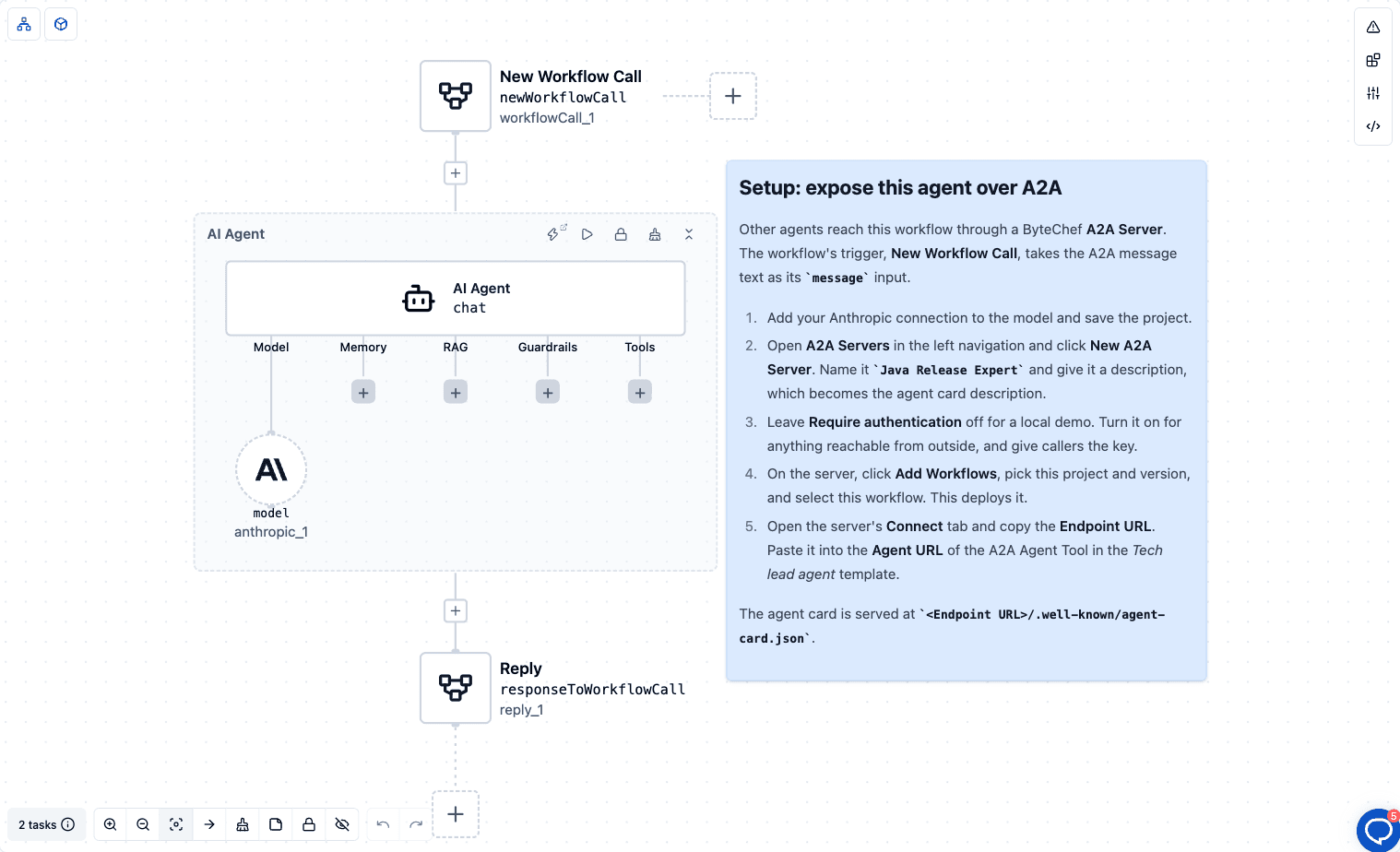
This template is three steps:
message. When the workflow runs behind an A2A Server, the text of the incoming A2A message lands here.message.Nothing in the workflow mentions A2A. It is an ordinary callable workflow. The A2A Server does the protocol work around it.
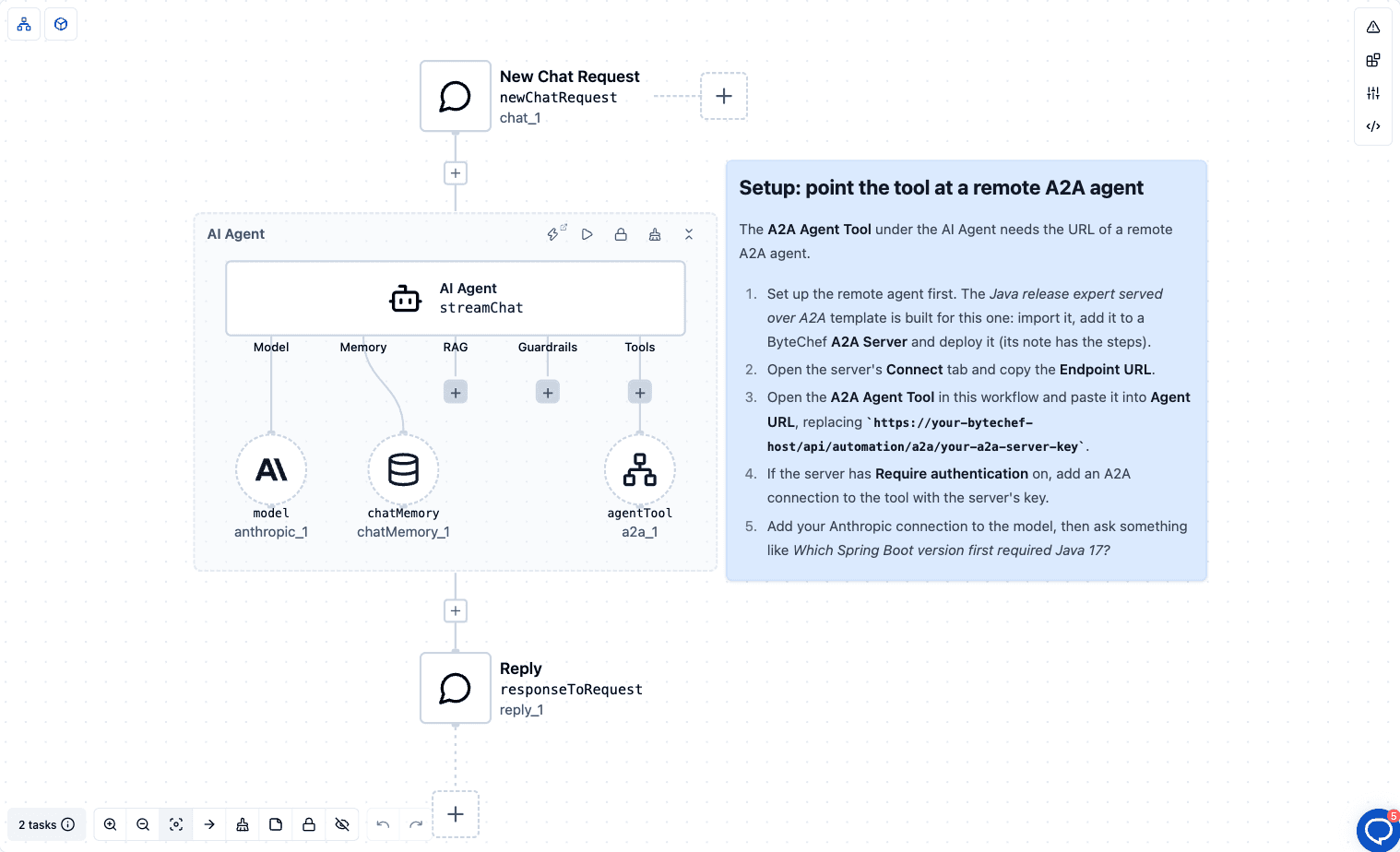
This template is a chat agent:
The tech lead doesn't know Java release history. It knows who to ask.
An A2A Server in ByteChef turns one or more workflows into a remote agent. You find it under Servers → A2A Servers in the left navigation.
Each server has:
https://<your-bytechef-host>/api/automation/a2a/<server key>. The Connect tab shows two URLs, the Agent Card URL and the Endpoint URL.Authorization: Bearer header. With it off, the secret in the URL is enough.When a message arrives, the server starts the workflow and passes the message text as its message input. When the run finishes, the workflow's response goes back to the caller. The server answers message/send and message/stream requests, and supports tasks/get and tasks/cancel for runs that take longer.
The agent card advertises text in and text out. If your server sits behind a proxy, set ByteChef's public URL so the card points to an address other agents can reach.
The A2A Agent Tool comes from the A2A component, and you add it to an AI Agent's Tools slot. It has one property:
Agent URL: The URL of the remote A2A agent. For a ByteChef A2A Server, the endpoint URL from the server's Connect tab. The agent card is read from
<Agent URL>/.well-known/agent-card.json.
When the agent decides to delegate, the tool:
The reply can be a plain message or a task with artifacts. The tool pulls the text out of either. If the remote agent can't be reached, returns an error or takes longer than that, the tool fails with an error that names the agent URL, instead of hanging.
The model sees this as a tool called sendTaskToRemoteAgent, described as "Delegate a task to the configured remote A2A agent and return its response." The system prompt tells it when to use it. To reach several remote agents, add one A2A Agent Tool per URL.
If the remote server requires authentication, add an A2A connection to the tool. It has one field, Token, sent as an Authorization: Bearer header. For a ByteChef A2A Server, that's the API key.
One limit to know: when a server exposes several workflows, a caller has to say which skill it wants. The A2A Agent Tool doesn't choose a skill, so point it at a server that exposes one workflow. That's how the template pair is set up.
Set up the server first, because the client needs its URL.
Java Release Expert and give it a description. That description goes on the agent card.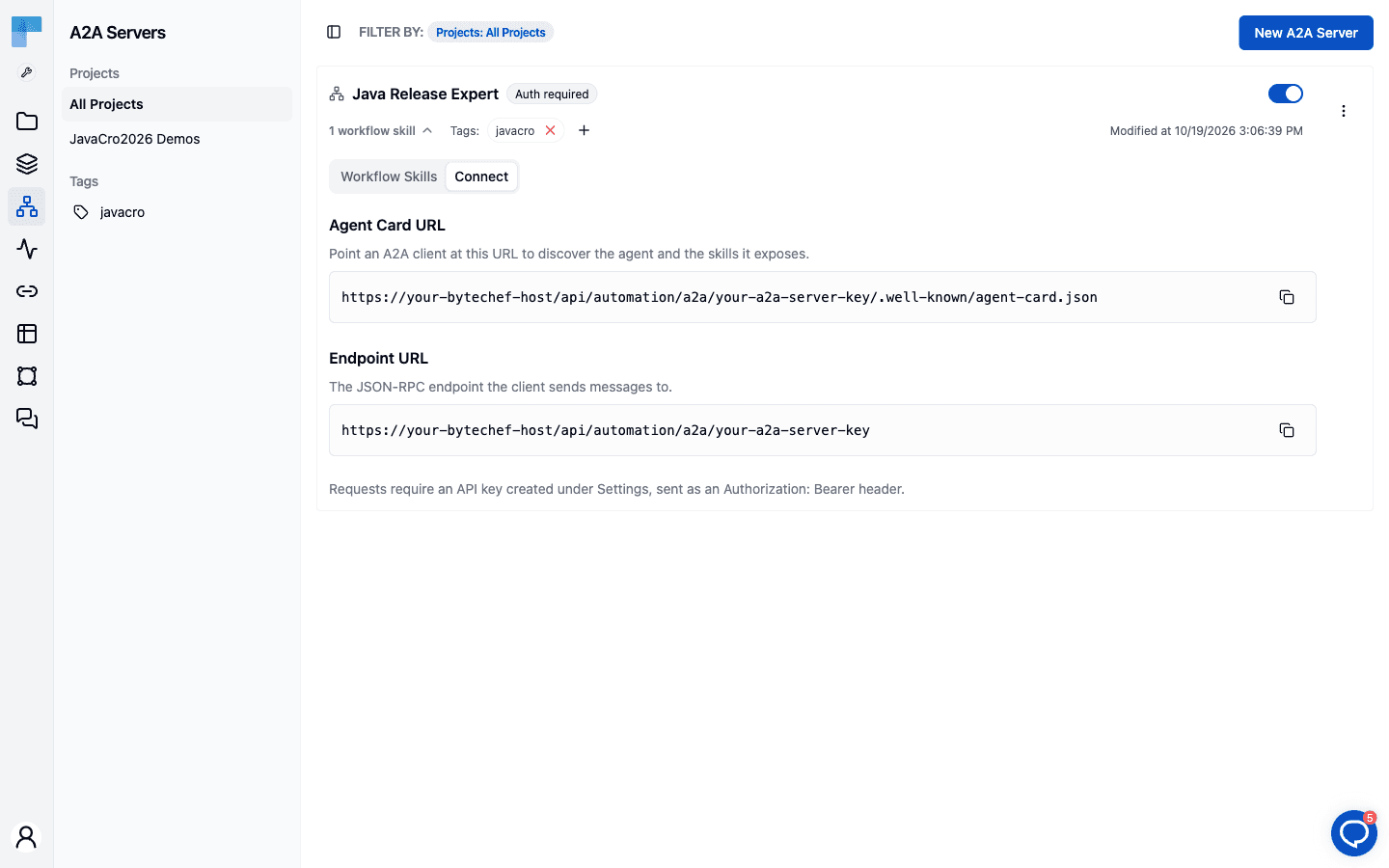
The host and key in this screenshot are placeholders. Your Connect tab shows your own.
https://your-bytechef-host/api/automation/a2a/your-a2a-server-key.The tech lead should call sendTaskToRemoteAgent. The server then starts the release expert workflow, and the expert's answer comes back as the tool result. The tech lead's system prompt tells it to build its own answer on that reply and to say that it asked the remote agent. Chat Memory lets you follow up with "What would we need to change to move from Boot 2.7?" without repeating the context.
Both templates run on the same ByteChef here, but nothing depends on that. The client only needs the Endpoint URL. The server could be another ByteChef instance, and the client could be any A2A client.
A2A sits next to subagents, the earlier part of this series. Both answer the same need, hand this to a specialist, at different distances:
| Subagents | A2A | |
|---|---|---|
| The specialist is | An agent you define on this agent | Any A2A agent, anywhere |
| It runs | In the same workflow run | On its own server, reached over HTTP |
| It's built with | ByteChef | Anything that speaks A2A |
| The caller learns about it from | The subagent's definition | The remote agent's card |
| Use it when | The specialist is part of this agent | The specialist belongs to someone else, or serves many callers |
The Java release expert is a good fit for A2A because many agents could use it. Serve it once, and every agent that needs release facts can call the same URL.
ByteChef uses the same A2A Java SDK as the Spring AI post: the same agent card, the same JSON-RPC transport, the same message types. A ByteChef agent can call any A2A agent, and any A2A client can call a ByteChef A2A Server.
What ByteChef adds is the product around it:
A2A widens what an agent can draw on. Skills, questions, todo lists and subagents all make one agent more capable. A2A lets it use agents it doesn't own, built on frameworks it has never seen.
The two templates show the whole loop in a few minutes. One workflow becomes a remote agent behind an A2A Server. Another agent calls it with one tool and one URL.
Have a specialist other agents should be able to ask? Import the Java release expert and the Tech lead agent, connect them, and ask your first question across the wire.
Get the latest guides on complex automation, AI agents, and visual workflow best practices delivered to your inbox.