9 min read
Ivica Čardić

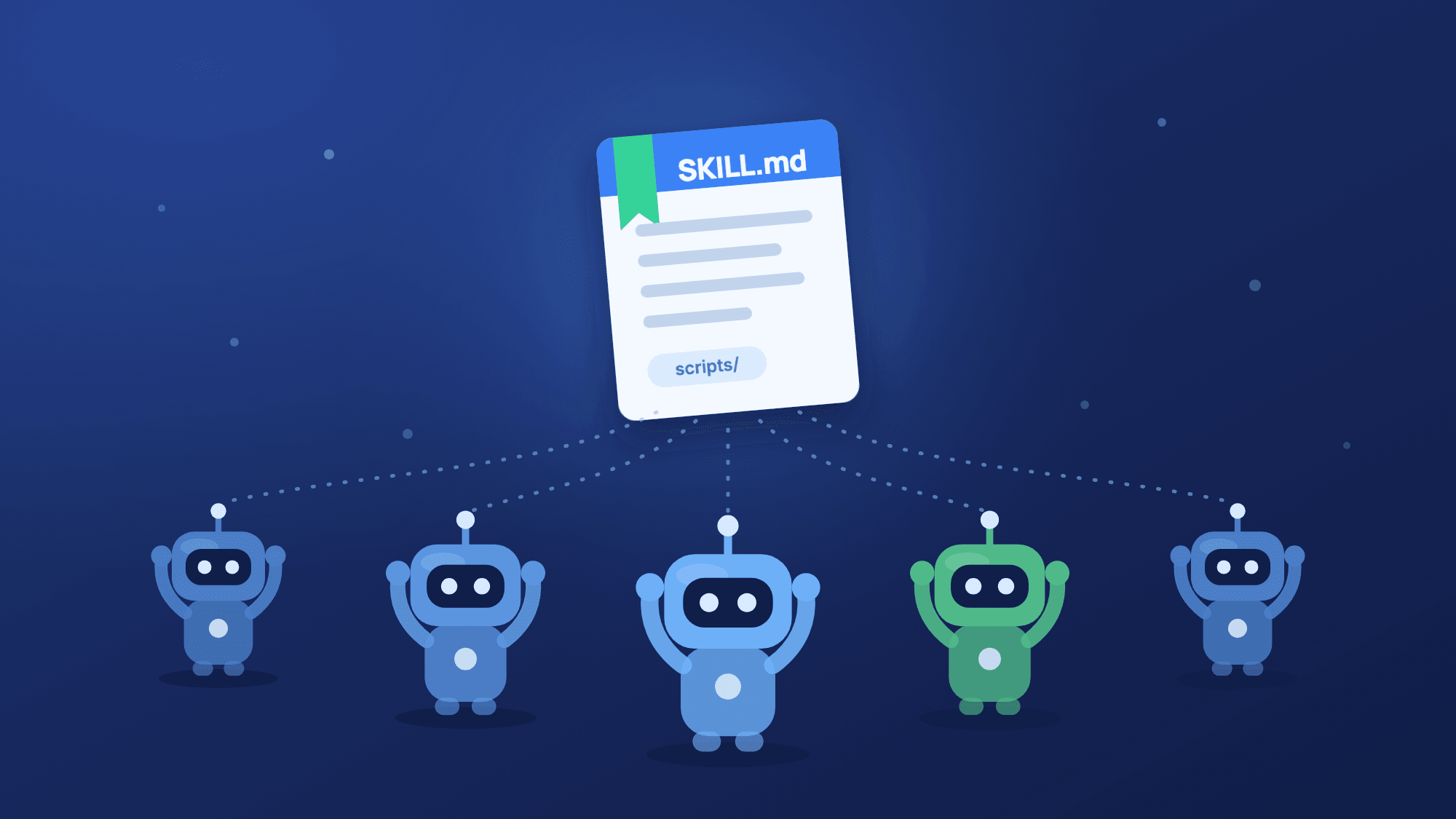
TL;DR: A single agent that does everything collects noise in its context, and one system prompt can't be expert at everything. Subagents fix both. The main agent hands a focused job to a subagent, which works in its own context with its own instructions, model and tools, and sends back only the result. ByteChef builds this on Spring AI's Task tool and lets you define every subagent on the canvas. To see it working, import the Research and write with subagents template: a cheap model does the research, a stronger one writes the answer.
Every capable agent eventually hits a ceiling, and it's usually clutter, not intelligence. Ask an agent to research three options and recommend one. To research, it gathers facts, compares notes and second-guesses itself. All of that lands in its context window. By the time it writes the answer, its attention is split across everything it tried along the way.
The Spring AI team names the two problems in their subagent post: context pollution, where intermediate steps cloud the main agent's reasoning, and the generalist bottleneck, where one prompt tries to be good at every kind of work. The fix is delegation. The main agent becomes an orchestrator that hands focused jobs to subagents and keeps only what they report back.
In Part 1 we gave an agent know-how it loads on demand. This post gives it a team.
The Research and write with subagents template is three steps, with a small team inside the AI Agent:
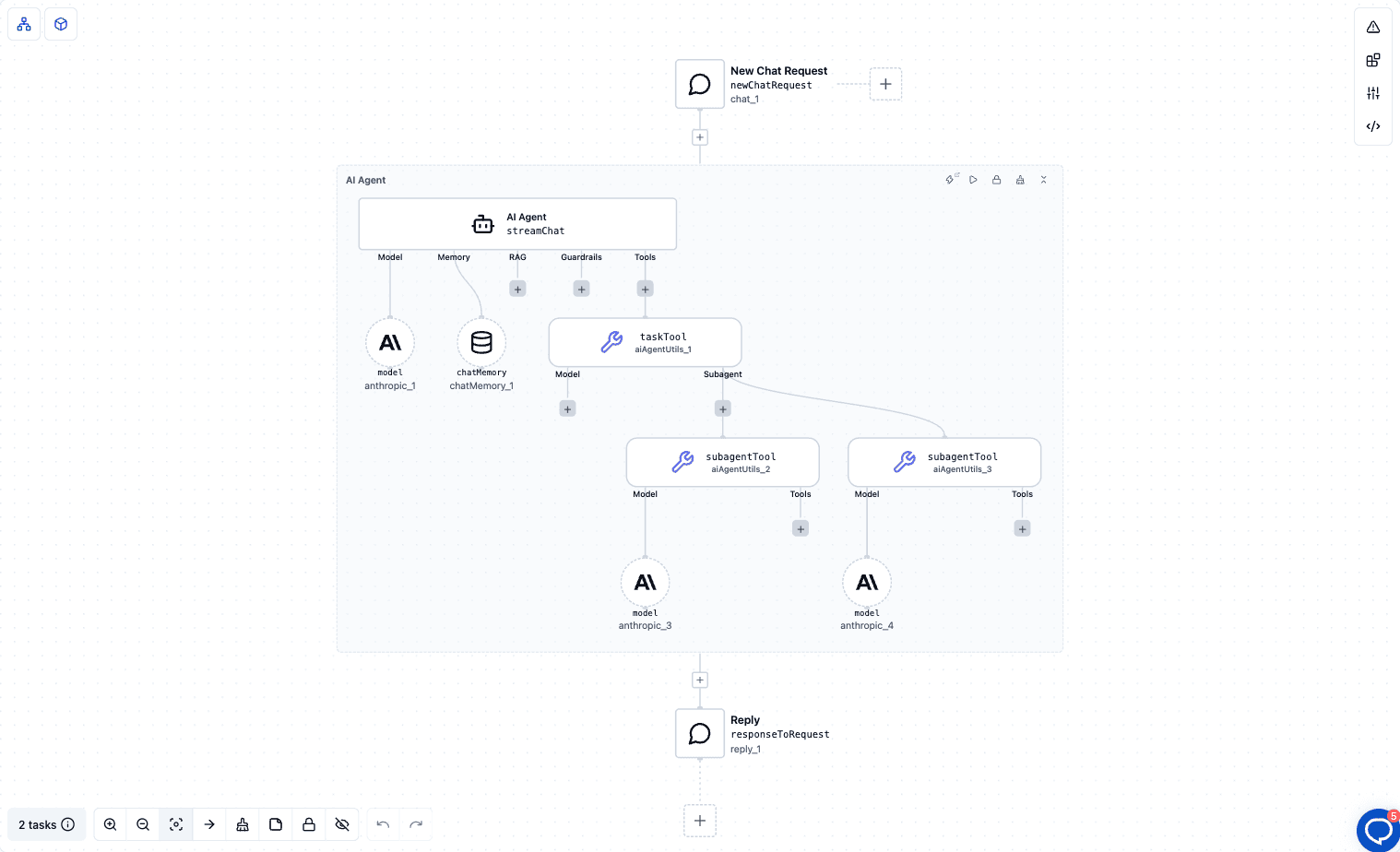
The orchestrator's system prompt tells it not to do the work itself:
You are an orchestrator. Do not answer research questions yourself. Delegate fact gathering to the researcher subagent, then pass its findings to the writer subagent, and return the writer's answer.
The two subagents split the work by cost and quality:
| Subagent | Model | When to use it (Description) | How it works (Instructions) |
|---|---|---|---|
researcher | Claude Haiku 4.5 | Use to gather facts and compare options before anything is written. Returns findings only, as short bullets. | You are a fast, precise researcher. Collect the key facts needed to answer the task. Return 5 to 10 short bullets with no introduction and no conclusion. If you are unsure of a fact, say so. |
writer | Claude Sonnet | Use after research is done, to turn findings into the final answer for the user. | You turn research findings into a clear answer for Java developers. Short sentences, concrete, no marketing language. End with a one-line recommendation. |
Research is many small, factual steps, so it runs on a fast, cheap model. The final answer is what the user reads, so it gets the stronger model. The orchestrator only coordinates.
Spring AI's Task tool comes from the spring-ai-agent-utils library, which ByteChef ships. Here's what happens when a message arrives.
Task. Its description lists every subagent by name with its Description. That's all the orchestrator knows about them, so the Description is what it uses to decide who gets which job.Task with a subagent name and a prompt it writes for that job, for example "Compare Java 21 and Java 25 for a Spring Boot service".Task tool's result. Whatever it did along the way stays in its own context.In the template, that means two calls: Task to researcher, then Task to writer with the researcher's bullets in the prompt. The orchestrator's context holds two short tool results, not the work behind them.
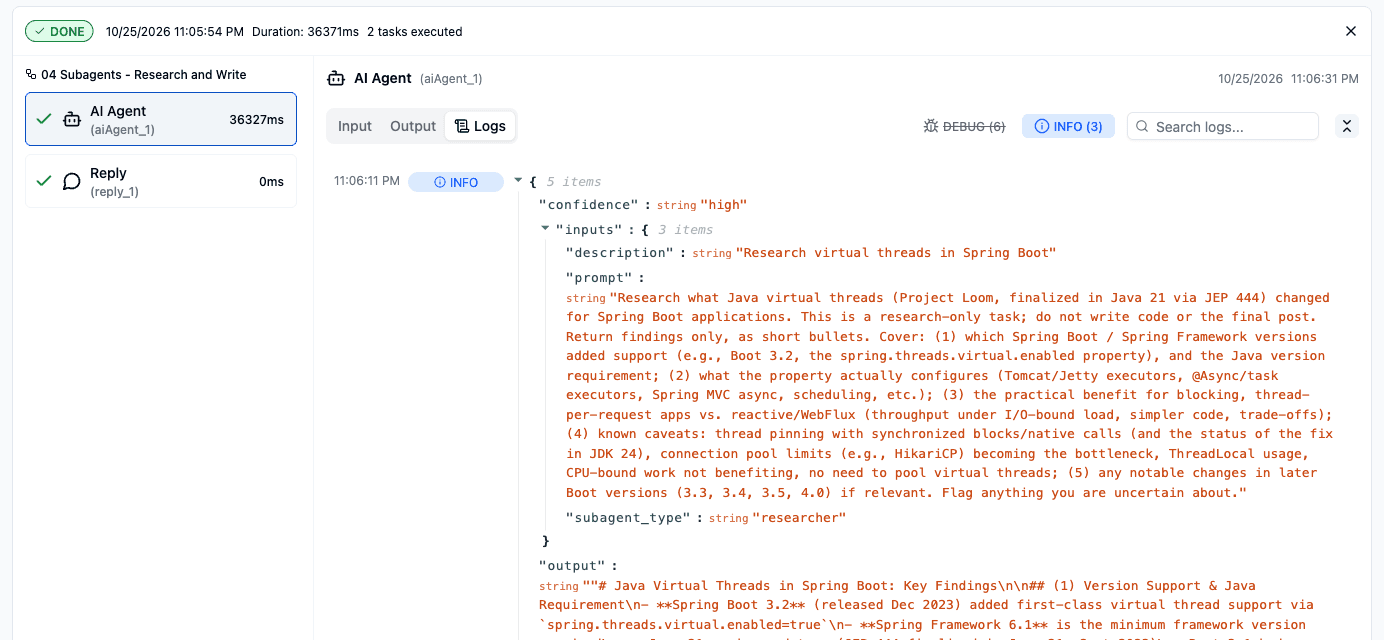
This is the first Task call from a real test run, shown in the AI Agent's Logs tab. The orchestrator wrote a research-only prompt for the researcher subagent, and the subagent's findings came back as the tool's output.
The Task Tool also adds a second tool, TaskOutput. The library lets the orchestrator start a subagent in the background and collect its result later with TaskOutput, so independent jobs can run at the same time.
In the Spring AI post, subagents are registered in Java or defined as Markdown files. In ByteChef they're nodes on the canvas.
Task Tool. Add it to the AI Agent's Tools slot from the AI Agent Utils component. Its description says what it does: "Delegate tasks to subagents you define, each limited to the tools you attach to it." It has two slots:
Subagent. Each one has three fields and two slots:
researcher.If a subagent has no model and the Task Tool has none either, the run stops with an error that tells you to attach one. Tools work the same way in reverse: a subagent can't borrow the orchestrator's tools. It gets exactly what you attach.
Orchestration you draw, or orchestration the agent does. In Agentic Workflow Patterns we built orchestrator-workers as a workflow: you lay out each step on the canvas and wire the flow yourself. The Task Tool is the in-agent version. You define the team, and the agent decides at run time who does what, and in what order. Use a workflow when the steps are fixed. Use subagents when the agent should plan the split itself.
The template needs only an Anthropic API key.
The orchestrator should call researcher first and writer second. The answer you get is the writer's: short sentences, written for Java developers, ending with a one-line recommendation. Ask a follow-up and Chat Memory keeps the conversation going, while each subagent call still starts from a clean context.
To see the delegation itself, test the agent in the editor and open the tool-call cards. Each Task call shows which subagent ran, the prompt it was given and what it returned. If the orchestrator skips a subagent or calls the wrong one, its Description is usually too vague.
The template's split is a starting point. A few changes that use the same pieces:
ByteChef runs Spring AI's TaskTool and TaskOutputTool, so the delegation model is the same: the orchestrator picks a subagent by its description, the subagent works in its own context, and only its result comes back.
What changes is where the team is defined:
The lesson of subagents is that an agent gets better by doing less itself. Delegation isn't mainly about speed. It keeps each context clean and each prompt focused. The orchestrator stays sharp because the messy middle of every job happens somewhere else, and only the answer comes back.
Got an agent struggling with a job that's really three jobs? Import the Research and write with subagents template, ask it a question that needs research, and watch it hand the work out.
Get the latest guides on complex automation, AI agents, and visual workflow best practices delivered to your inbox.