9 min read
Ivica Čardić
TL;DR: Simple chat memory drops the oldest messages to stay small, and it can drop a tool call while keeping its result. Chat Memory v2 in ByteChef stores the chat as a log of events and compacts it by whole turns, so a tool exchange is never split. Older turns are archived, not lost: a conversation search tool lets the agent look them up. To see it, import the Chat that compacts its history template. Its limits are small on purpose, so compaction shows up after a few messages.
Every chat agent has the same slow problem. Each message adds to the history, and the whole history goes into the next prompt. Long conversations get slower, cost more and eventually hit the model's context limit.
The usual fix is to keep only the last N messages. That works until a tool is involved. A tool call and its result are separate messages. Cut the history between them, and the model sees an answer with no question, or a question with no answer. It doesn't fail loudly. It just gets confused.
Chat Memory v2 fixes this by treating the conversation as turns instead of loose messages. This post shows how, using one template.
The Chat that compacts its history template has three steps:
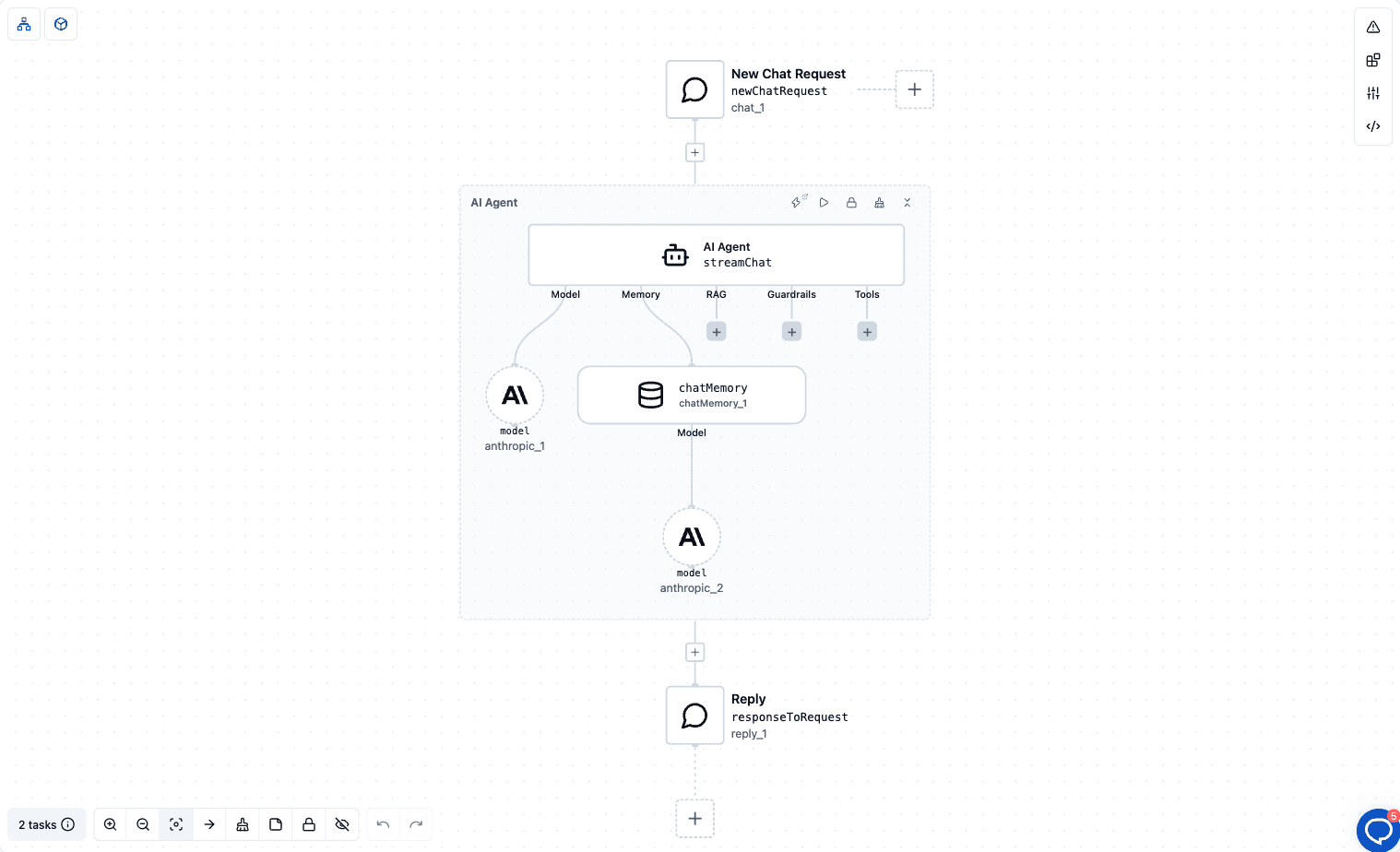
The Chat Memory element is set up like this:
| Field | Value in the template |
|---|---|
| Conversation ID | ${chat_1.conversationId} |
| Compaction Strategy | Turn window (by turns) |
| Max turns | 3 |
| Enable conversation search tool | on |
The system prompt tells the agent what to expect: "Your visible history is short. If the user asks about something said earlier that you no longer see, use the conversation search tool to find it, and say that you searched."
Three turns is far too small for real use. It's set that low so you can watch compaction happen in a short demo.
Chat Memory v2 is built on the Spring AI community Session library. It stores a conversation as an ordered log of events. Each user message, assistant reply, tool call and tool result is one event.
A turn is one user message plus everything that follows it: replies, tool calls and tool results, up to the next user message. Compaction always works on whole turns. A turn is never cut in half, so a tool call and its result stay together or leave together.
With the Turn window strategy, two pieces work together:
In the template, that means the prompt never carries more than three turns of history, no matter how long the chat runs.
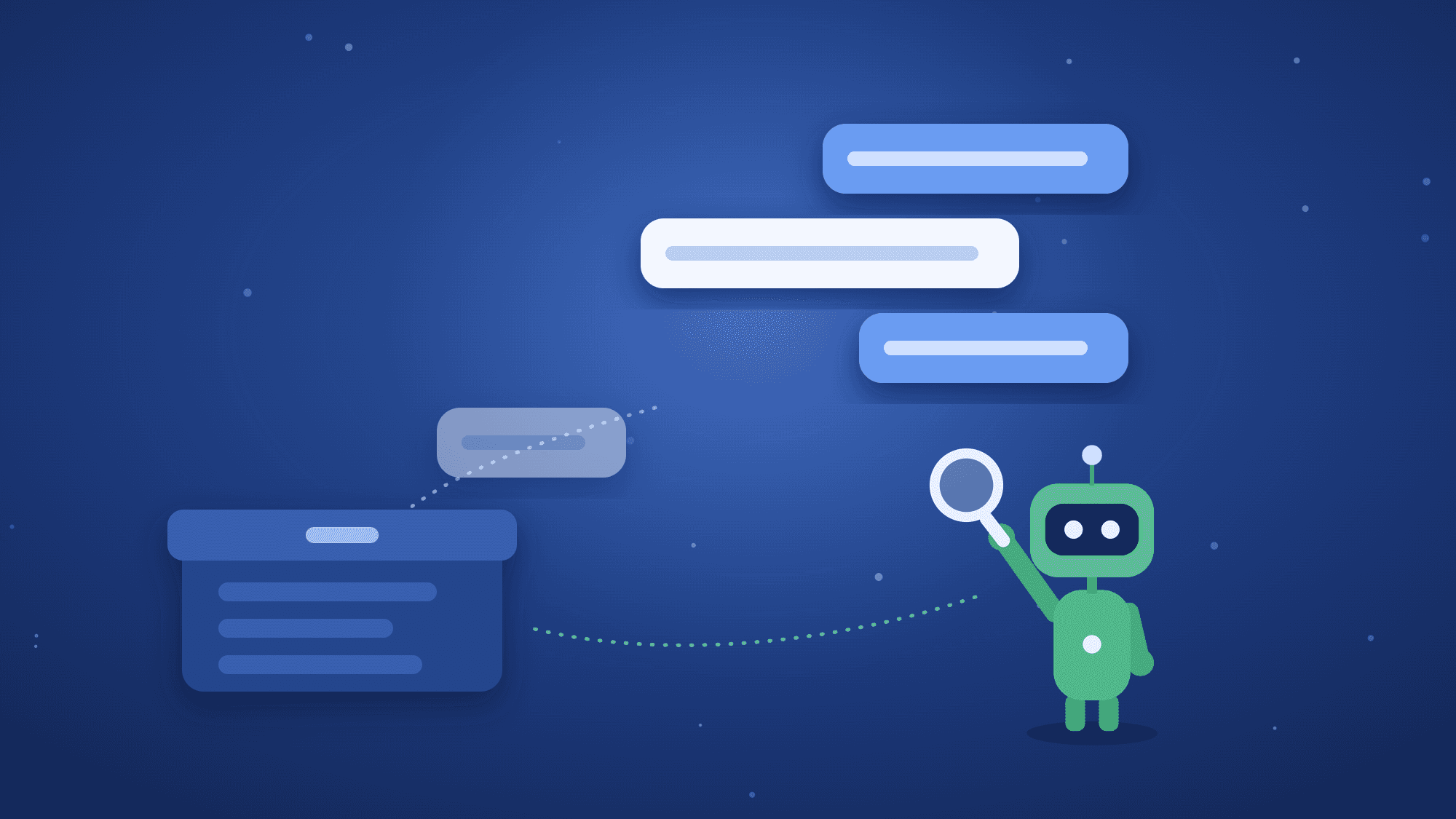
Compaction moves old events out of the prompt and into an archive. The agent no longer sees them, but they're still stored.
That's what Enable conversation search tool is for. It gives the agent a tool called conversation_search. The agent passes a keyword, and the tool searches the whole conversation, including archived messages that are still kept. Results come back in pages; Search page size sets how many per page, 10 by default.
So the agent's view is short, but its reach is long. It answers from the last three turns, and when you ask about something older, it can search for it. The template's system prompt asks it to say when it searched, so you can tell recall from guessing.
Two limits to know:
bytechef.ai.memory.session-max-archived-events.Compaction Strategy is a dropdown. Each option shows only the fields it needs:
| Strategy | Fields | What it does |
|---|---|---|
| None | Never compacts. The default. | |
| Sliding window (by events) | Max events | Once the history has more than Max events, keeps the most recent Max events. |
| Turn window (by turns) | Max turns | Once the history has more than Max turns, keeps the most recent Max turns. |
| Token count | Max tokens | Keeps the history within an estimated token budget. |
| Recursive summarization (LLM) | Max events, Max events to keep, Overlap size | Once the history has more than Max events, a model summarizes the older events and the most recent Max events to keep stay in full. |
For Recursive summarization, ByteChef checks two rules when the run starts: Max events must be greater than Max events to keep, and Overlap size must be less than Max events to keep. Overlap size is how many of the kept events the summarizer also sees, so the summary connects to what follows.
Look at the template again. The Chat Memory element has its own model, Claude Haiku, separate from the agent's Claude Sonnet.
Only Recursive summarization uses that model. With Turn window, which the template uses, old turns are archived and no model is called. The Haiku model is there so you can switch the dropdown to Recursive summarization without adding anything. Summaries then come from a smaller, cheaper model than the one answering your users. If you pick Recursive summarization and there is no model on the Chat Memory element, the run fails with a clear error.
Chat Memory v2 comes in several components with the same fields. They differ only in storage:
bytechef.ai.memory.provider setting: JDBC, Redis, AWS S3 or in-memory.The template uses the built-in Chat Memory, so it needs no extra connection.
The S3 backend is ByteChef's own implementation of the Session library's storage interface. It stores each session as one JSON object and uses S3 conditional writes (If-Match on the ETag), so two writers can't silently overwrite each other's events.
conversation_search, and to say that it searched.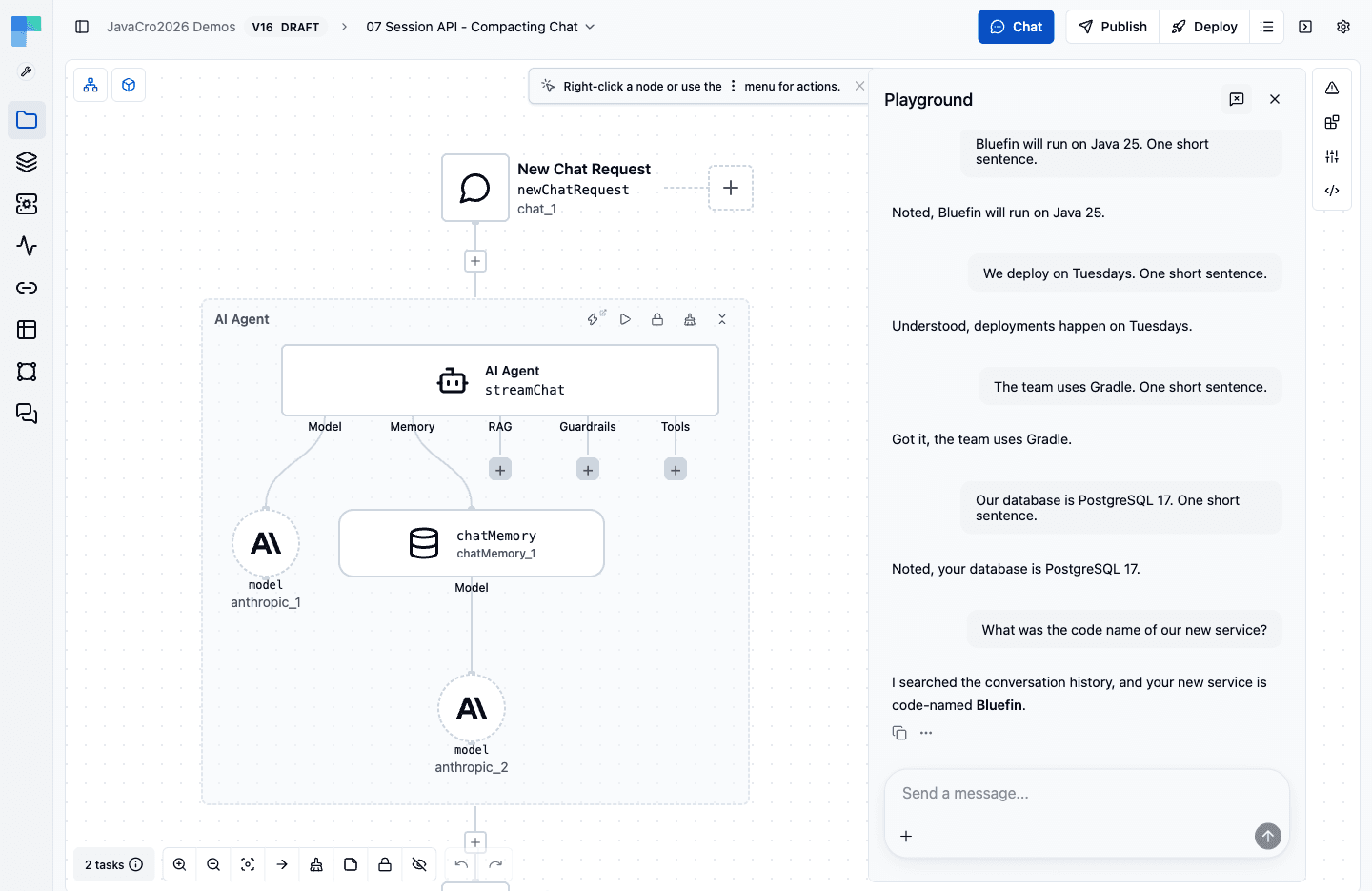
This is a real test run. The code name was in the first message, which had already left the three-turn window, so the agent searched the archive to answer.
To watch it work, use the Agent Playbook in the editor. Its tool-call cards show conversation_search running, with the keyword the agent chose and the messages it found.
When you move past the demo, raise Max turns to something like 10 to 20, or switch to Token count or Recursive summarization. The search tool works the same with any strategy.
The compaction strategies, triggers and conversation_search come from the Spring AI community Session library. ByteChef runs it directly and adds:
conversation_search also asks the model for a private "inner monologue", and Claude refuses the whole turn rather than fill it in. ByteChef registers the tool with only a keyword and a page number.Chat Memory keeps this conversation coherent. It doesn't carry facts from one conversation to the next. For that, ByteChef has the Auto Memory Tool, where the agent writes down what's worth keeping and reads it back in later chats. It works in deployed runs, not editor test runs. The two work side by side on the same agent: Chat Memory in the Memory slot, the Auto Memory Tool in the Tools slot.
The same rule as in Part 1 applies: put each kind of knowledge where it's loaded only when needed. Skills load procedures on demand. Compaction keeps old turns out of the prompt until the agent searches for them.
Chat history grows with every message, and dropping old messages one by one can break a tool call in half. Chat Memory v2 compacts by whole turns, archives what it removes and lets the agent search the archive. You choose the strategy and the storage on the canvas.
Try it: import the Chat that compacts its history template, connect Anthropic, chat for five messages and ask what you said first.
Get the latest guides on complex automation, AI agents, and visual workflow best practices delivered to your inbox.