ByteChef Embedded, Part 5: The Request Playground
On this page
TL;DR: In part four, App Events triggered whoever's listening. Sometimes you instead want to invoke one specific workflow and get its output back. The Request Playground does exactly that:
POST /api/embedded/v1/workflows/{workflowUuid}with a JSON body runs that workflow for the current connected user, passing the body as trigger input and returning the result. It turns any automation into a synchronous API endpoint your app can call like a function. This is part five of the series.
App Events are fire-and-fan-out: you emit, everyone listening runs, you don't wait for a result. But plenty of use cases are request/response: "run this enrichment workflow on this record and give me back the answer." For that you don't want an event; you want to call a workflow directly.
Set Up the Request Trigger
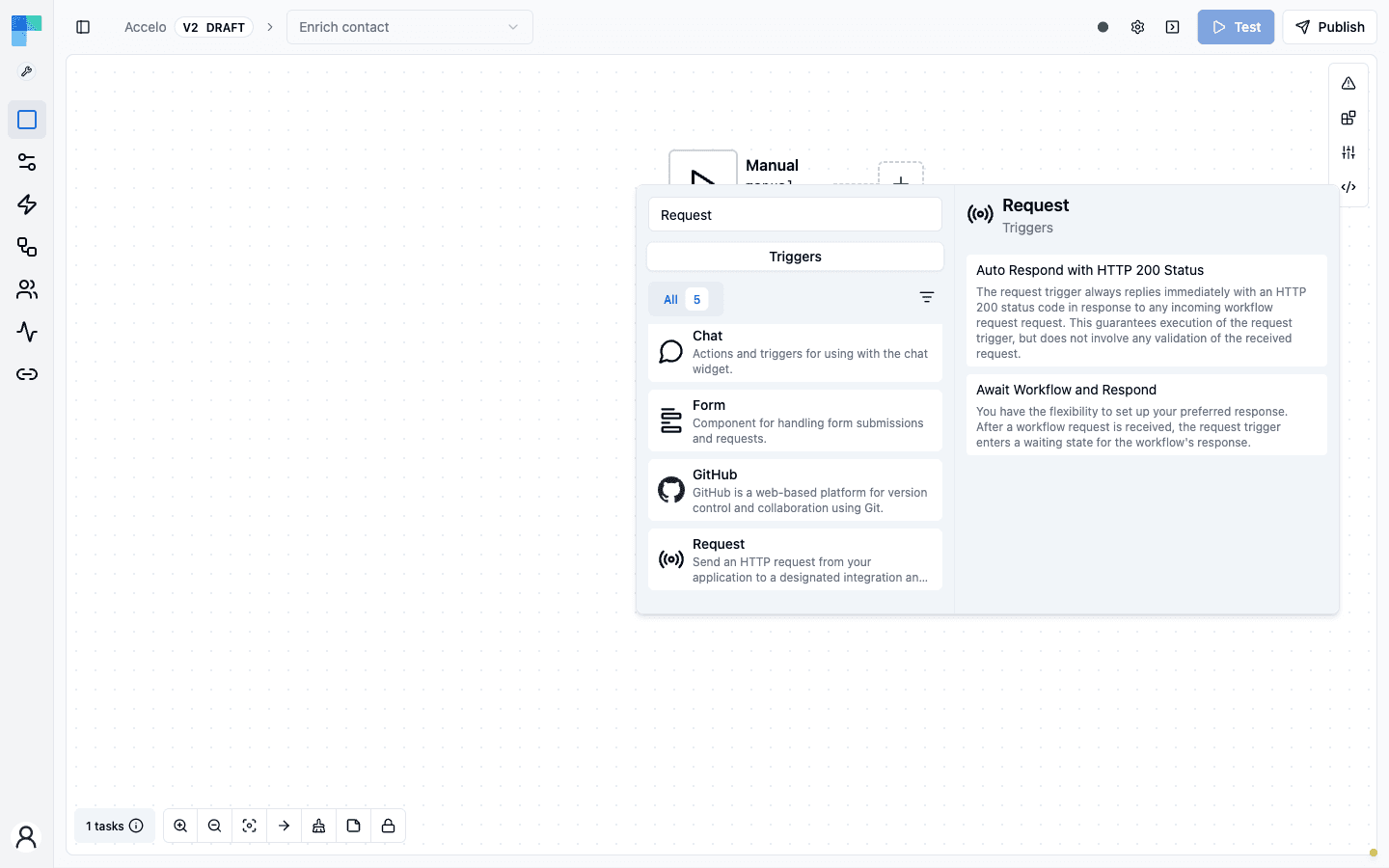
A workflow becomes callable once it starts with the Request trigger. In the workflow editor, add a trigger (or right-click an existing one and choose Replace), search for Request, and pick one of its two triggers:
- Auto Respond with HTTP 200 Status - accepts the call, replies
200right away, and runs the workflow in the background. Fire-and-forget. - Await Workflow and Respond - holds the request open until the workflow finishes, then returns its result. This is the one that makes a workflow behave like a function.
Await Workflow and Respond has one property, Timeout (ms): how long the caller waits before the request times out, with a maximum of five minutes. Set it lower if your app shouldn't block that long.
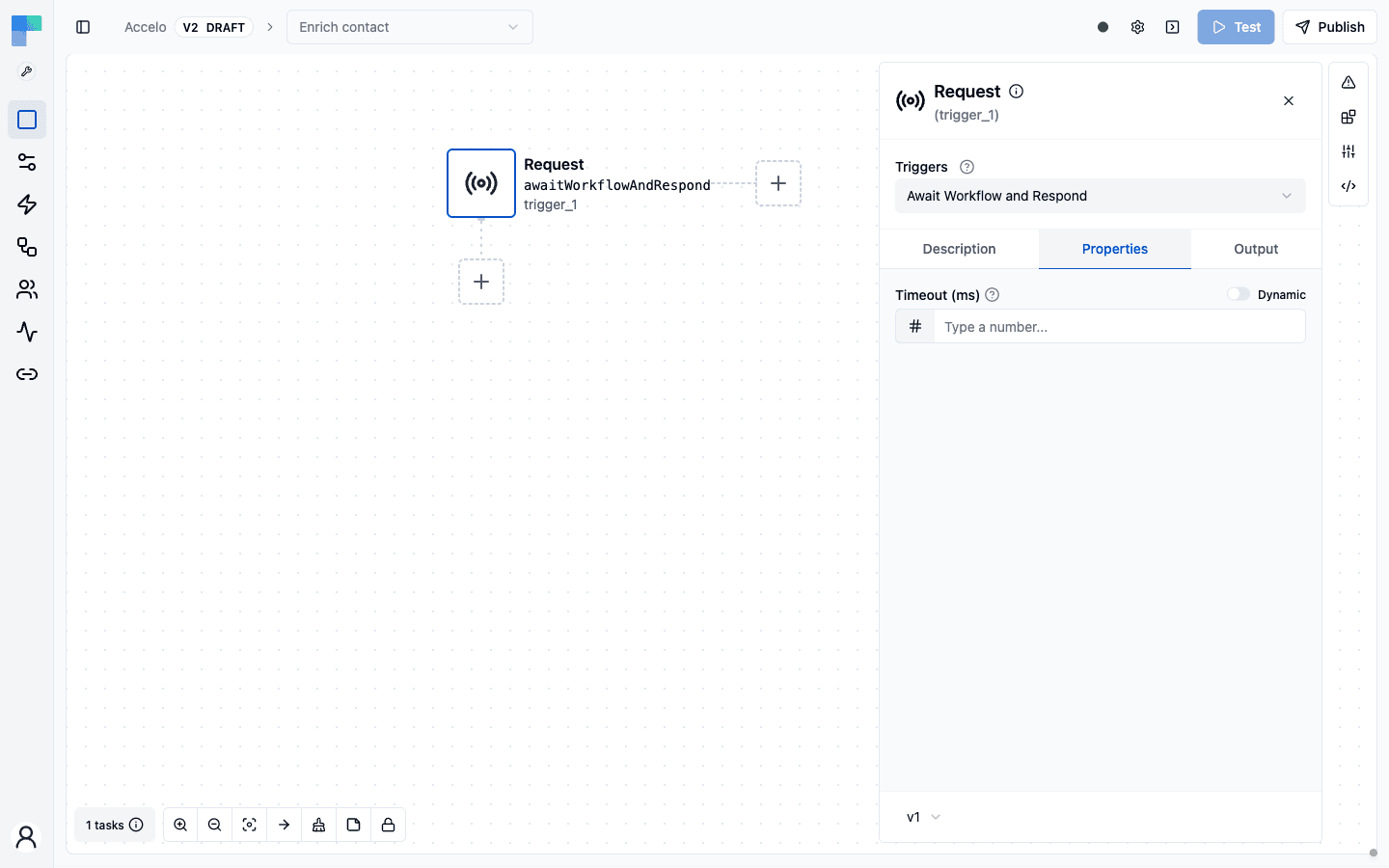
Add the steps that do the work below the trigger. The request body is available to them as the trigger's output. Then Publish the workflow; once a connected user has the integration enabled, it's ready to call.
The sample app's Request Playground lists the full path at the top of the page, with an Echo Request workflow you can paste into the Workflow Code Editor (an Await Workflow and Respond trigger and one step that builds the reply):
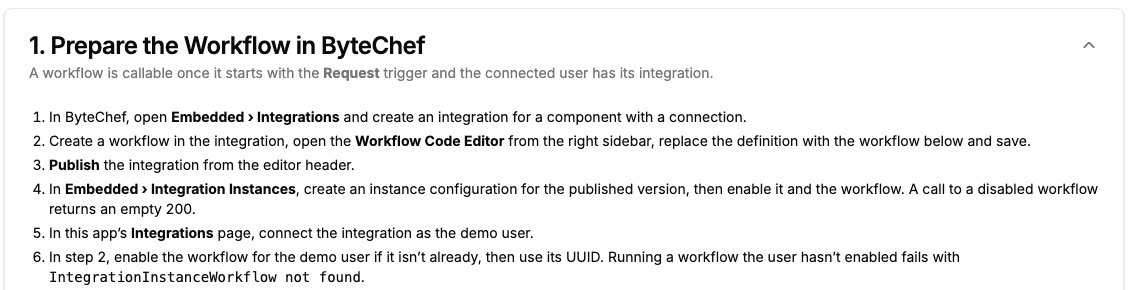
Two of those steps are easy to miss, and each fails in its own way:
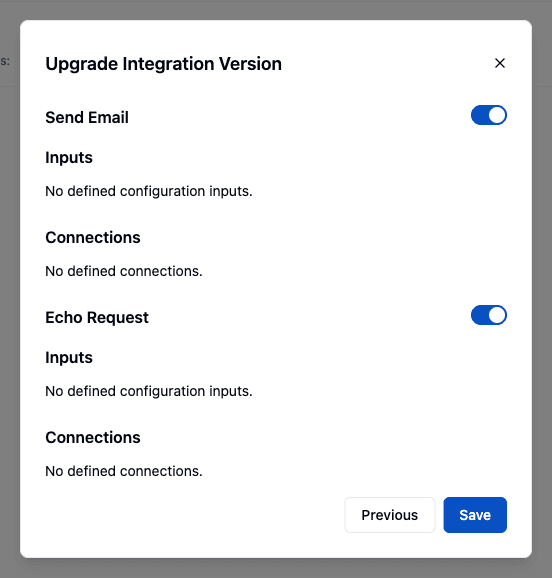
- The instance configuration and the workflow must be enabled under Embedded → Integration Configurations. Calling a workflow that's disabled there returns an empty
200, which looks like success. Publishing a new version doesn't move existing configurations onto it: open the configuration's menu, choose Update Integration Version, pick the new version, and switch the new workflow on.
- The connected user must have the workflow enabled too. If they don't, the call fails with
IntegrationInstanceWorkflow not found.
Finding the Workflow UUID
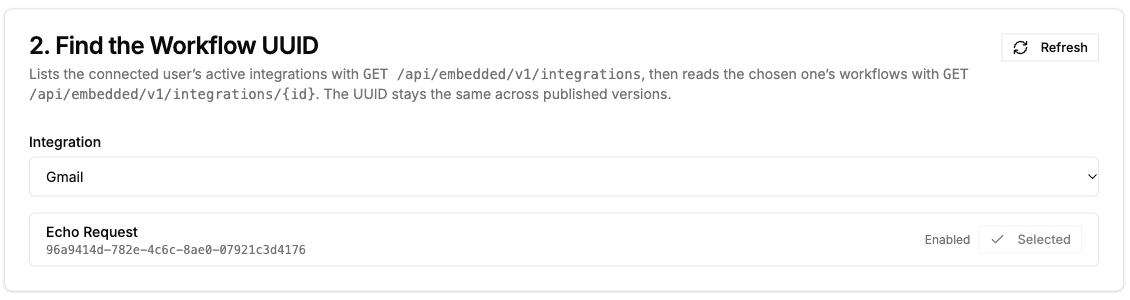
Every integration workflow has a stable workflowUuid, and that's what the call needs. You get it from the Embedded API with the same connected-user JWT, in two calls. GET /api/embedded/v1/integrations lists the user's active integrations. GET /api/embedded/v1/integrations/{id} returns one of them with its workflows, and each workflow has a label and a workflowUuid:
async function fetchWorkflowUuid(
  jwt: string,
  integrationName: string,
  workflowLabel: string,
): Promise<string> {
  const headers = { Authorization: `Bearer ${jwt}` };

  // GET /api/embedded/v1/integrations   (bearer JWT)
  const integrations = await fetch('/api/embedded/v1/integrations', { headers })
    .then((res) => res.json());

  const integrationId = integrations
    .find((integration) => integration.name === integrationName)
    ?.id;

  if (integrationId === undefined) {
    throw new Error(`No active integration named "${integrationName}"`);
  }

  // GET /api/embedded/v1/integrations/{id}   (bearer JWT)
  const integration = await fetch(`/api/embedded/v1/integrations/${integrationId}`, { headers })
    .then((res) => res.json());

  const workflowUuid = integration.workflows
    ?.find((workflow) => workflow.label === workflowLabel)
    ?.workflowUuid;

  if (!workflowUuid) {
    throw new Error(`Integration "${integrationName}" has no workflow labeled "${workflowLabel}"`);
  }

  return workflowUuid;
}

const workflowUuid = await fetchWorkflowUuid(jwt, 'HubSpot', 'Enrich contact');
The list only includes integrations the connected user has active, so enable the integration for that user first. The UUID stays the same across published versions, so you can look it up once and keep it in your app's config.
In the sample app, the Request Playground's Find the Workflow UUID card makes the same two calls. Pick an integration, then click Use next to a workflow to fill in its UUID. The Enabled badge tells you the connected user has the workflow switched on, which is what the call needs.
A Workflow, Callable Like a Function
The playground takes that workflow UUID and a body, and invokes it:
// POST /api/embedded/v1/workflows/{workflowUuid}   (bearer JWT)
const res = await fetch(`/api/request/${workflowUuid}`, {
  method: 'POST',
  body: JSON.stringify({ message: 'Hello from the Request Playground' }),
});
In the playground that's the Execute Workflow card: the UUID from Use is already filled in, edit the body, and the response shows up in Result. Here it's the Echo Request workflow, which reads message from the request body and returns it as reply:
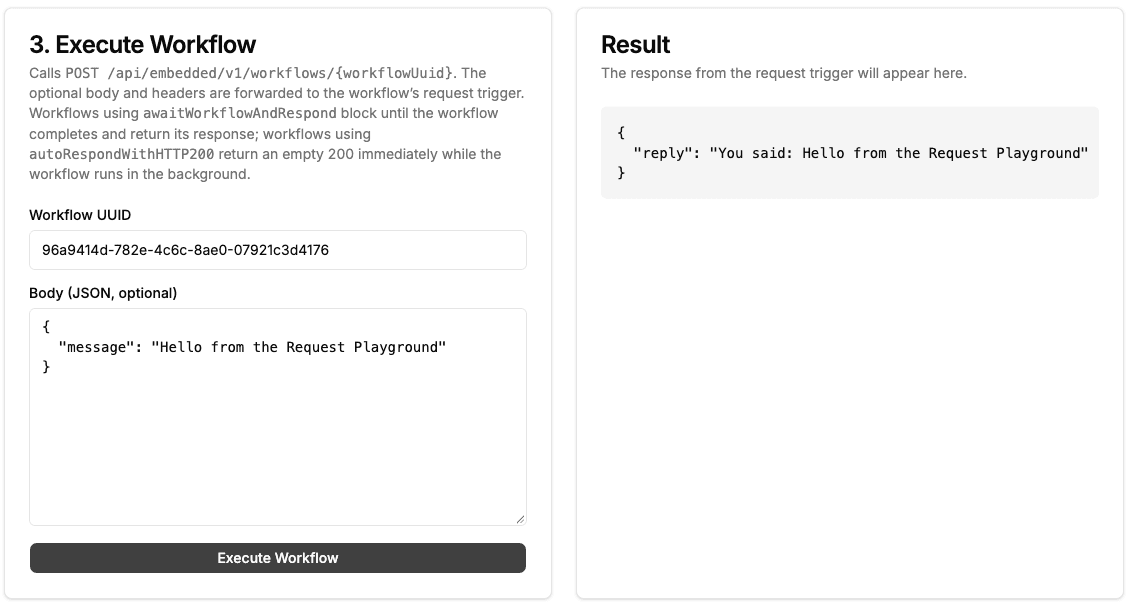
ByteChef runs that specific workflow for the current connected user, feeding your body in as the trigger's input, and returns the workflow's output in the response. The two triggers behave differently here: Await Workflow and Respond blocks until the workflow finishes and returns its response, while Auto Respond with HTTP 200 Status returns an empty 200 right away and runs the workflow in the background. From your app's perspective, a whole multi-step automation (connectors, branches, the works) behaves like a single API call: request in, result out.
This is the pattern behind request-triggered workflows: your customer builds an automation with a request-style trigger, and you (or they) invoke it on demand. The workflow becomes a named, versioned, connection-backed function, one your app can call synchronously wherever it needs the result.
Where It Fits Among the Triggers
The sample app now shows all three ways work enters a workflow, and they're complementary:
| Entry | How | When |
|---|---|---|
| Native triggers | a schedule fires, a webhook lands, a poll finds new data | the automation reacts to the outside world |
| App Events (part 4) | your product emits an event, fanned to all listeners | your product's events drive automations |
| Request (this part) | your app calls one workflow by UUID and awaits its result | you need a specific automation's output, now |
Together they mean a workflow can be scheduled, event-driven, or called like an API: the same automation reachable three ways, all scoped by the same JWT.
What You Didn't Build
For one POST:
- Synchronous invocation of a specific workflow by id, per connected user.
- Input delivery and output collection through the execution engine.
- A stable "automation as an endpoint" contract your app can depend on.
No queue to manage, no polling for results. Call it, await it, use the answer.
What's Next
Five parts in, the pieces fit together: the ConnectDialog links your customer's accounts, the ComponentKit and its AI Chat act on those apps, App Events let your product start workflows, and the Request Playground turns a workflow into an endpoint you call and await. Next up is the sample app's MCP Chat, which exposes the same tools through the Model Context Protocol, so clients like Claude and Cursor can use them too.
Following along? POST a payload to a workflow UUID and read the response - you've turned an automation into a callable function.
Subscribe to the ByteChef Newsletter
Get the latest guides on complex automation, AI agents, and visual workflow best practices delivered to your inbox.